
The short version
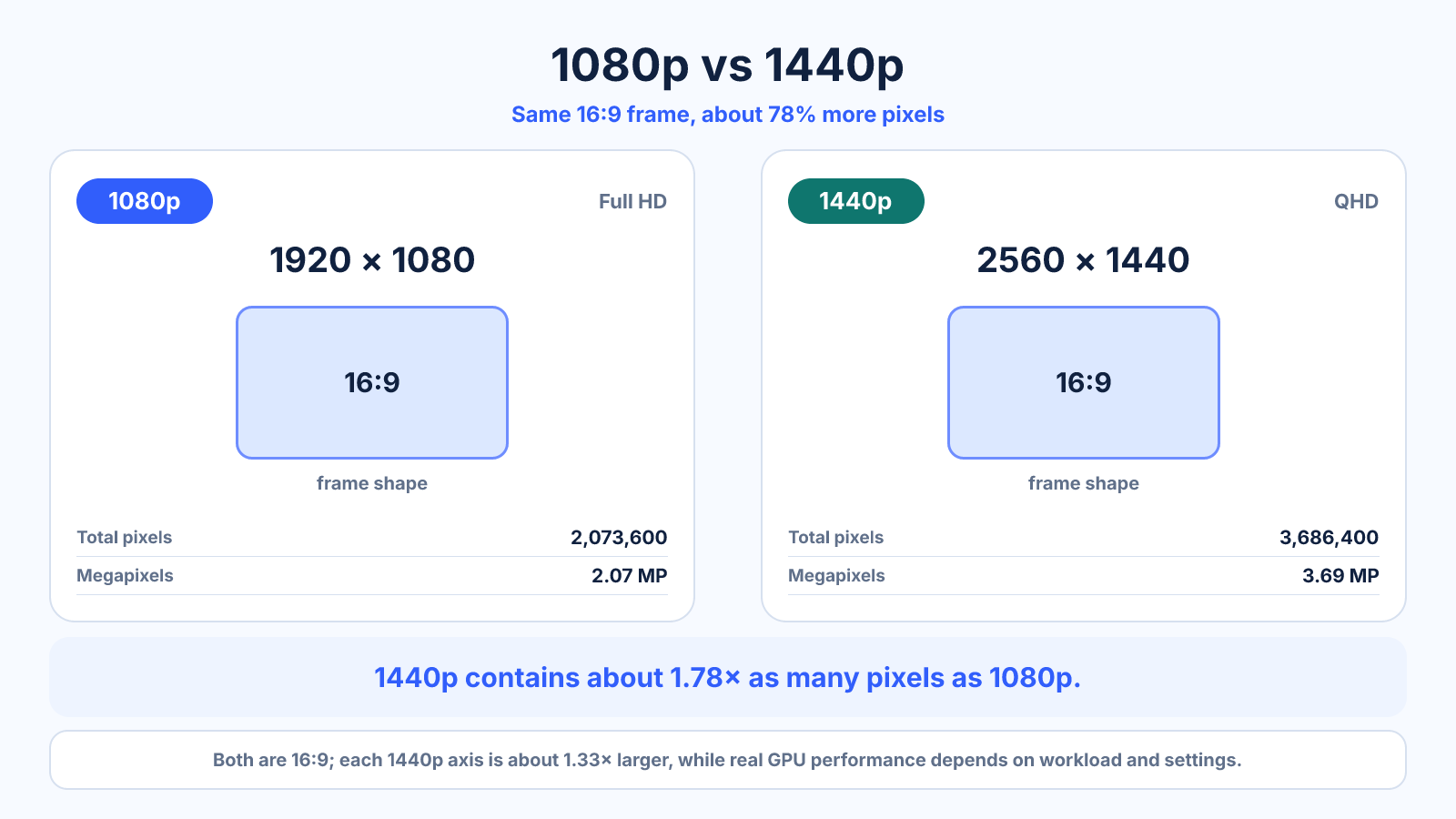
2560 × 1440 contains about 78% more pixels than 1920 × 1080. It can show finer detail and more workspace, while 1080p needs less graphics power and bandwidth.
What matters most
- Both use the same 16:9 shape.
- 1440p is not simply 1.5 times the total resolution; each axis is about 1.33 times larger.
- Screen size and viewing distance affect visible sharpness.
How to apply it
- Compare pixel density at the screen sizes you are considering.
- Check application scaling and text comfort.
- Estimate graphics performance at the target refresh rate.
- View real text and motion content rather than only specifications.
Reference table
| Property | 1080p | 1440p |
|---|---|---|
| Dimensions | 1920 × 1080 | 2560 × 1440 |
| Pixels | 2.07 MP | 3.69 MP |
| Relative pixels | 1× | 1.78× |
| Aspect ratio | 16:9 | 16:9 |
Use exact dimensions and units in production notes; familiar labels can describe more than one standard.
How much more detail does 1440p provide?
1440p has 2560 x 1440 pixels, or about 3.69 million per frame. 1080p has 1920 x 1080, or about 2.07 million. The QHD frame therefore contains about 78% more pixels, while each dimension is one-third larger. Both formats use the same 16:9 shape.
The visible improvement depends on screen size and viewing distance. At the same physical size, 1440p produces higher pixel density and can make text, fine lines and detailed scenes look cleaner. Moving the screen farther away reduces the difference; increasing the screen size makes density more important.
24-inch and 27-inch monitor considerations
At 24 inches, 1080p can remain a practical choice for general work and gaming, especially at a normal desk distance. At 27 inches, many users find 1440p noticeably sharper while retaining comfortable interface sizes. These are tendencies rather than rules because eyesight, scaling and distance vary.
Do not choose by diagonal alone. Panel quality, subpixel layout, text rendering and operating-system scaling also affect clarity. If possible, compare real text at your normal viewing distance instead of judging enlarged screenshots, which cannot reproduce the physical pixel density of two monitors.
1080p vs 1440p for gaming and high refresh rates
A 1440p game asks the GPU to render roughly 1.78 times as many pixels per frame as 1080p. Actual performance does not scale by a fixed percentage because CPU limits, graphics settings, upscaling and the game engine all matter. Use benchmark results for the specific GPU and games you plan to run.
1080p is attractive when the priority is very high frame rate on modest hardware. 1440p offers a sharper image and more desktop workspace when the system can maintain the target refresh rate. Competitive players and cinematic single-player users may rationally choose different balances.
How 1080p content looks on a 1440p display
1080p does not scale to 1440p by a whole-number factor, so a simple full-screen conversion must interpolate pixels and can look softer than native content. Video-player and GPU scaling quality affect the result. This is different from 1080p to 4K, where each source pixel can map to a 2 x 2 block in an ideal integer scale.
For desktop applications, keep the monitor at native 1440p and adjust interface scaling if needed. For games, render scaling or modern upscalers can trade performance for image quality. Evaluate motion and text, not only a paused scene, because temporal artifacts may matter more during play.
Is upgrading from 1080p to 1440p worth it?
The upgrade is strongest when you want a 27-inch-class desktop display, sharper text, more working space and your graphics hardware has comfortable performance headroom. It is less compelling when you sit far away, use a small screen, prioritize maximum competitive frame rate or would need to compromise panel quality to afford the resolution.
Compare the full system cost: monitor, graphics performance, connection bandwidth and target refresh rate. A well-calibrated high-refresh 1080p panel can be more useful than a poor 1440p panel. Resolution should narrow the choice, not replace evaluation of the display as a whole.
Common mistakes to avoid
- Calling 1440p exactly twice the pixels of 1080p.
- Ignoring frame-rate goals when estimating GPU load.
- Assuming resolution alone determines display quality.
Continue with the right tool
Use a calculator to check the numbers against your own source and destination instead of relying on a generic preset.
Related guides
1440p vs 4K: Resolution, Scaling and Performance Compared
Compare QHD and 4K UHD monitor resolutions by pixel count, desktop scaling, graphics load and suitable use cases.
Displays and monitorsWhat Is My Monitor Resolution? Screen Pixels vs Browser Viewport
Understand the difference between physical screen resolution, operating-system scaling, device pixel ratio and browser viewport measurements.
Displays and monitorsMonitor Resolution Explained: Pixels, Scaling and Aspect Ratio
Understand monitor resolution, native pixels, operating-system scaling and how to choose a usable desktop setup.
Frequently asked questions
Is 1440p noticeably sharper?
It often is at comparable screen sizes and viewing distances, especially for text and fine detail.
Does 1440p require more GPU power?
Yes. It renders about 78% more pixels per frame before considering other settings.
Will 1080p content look bad on 1440p?
It may appear softer when scaled because the conversion is not an integer ratio.