
The short version
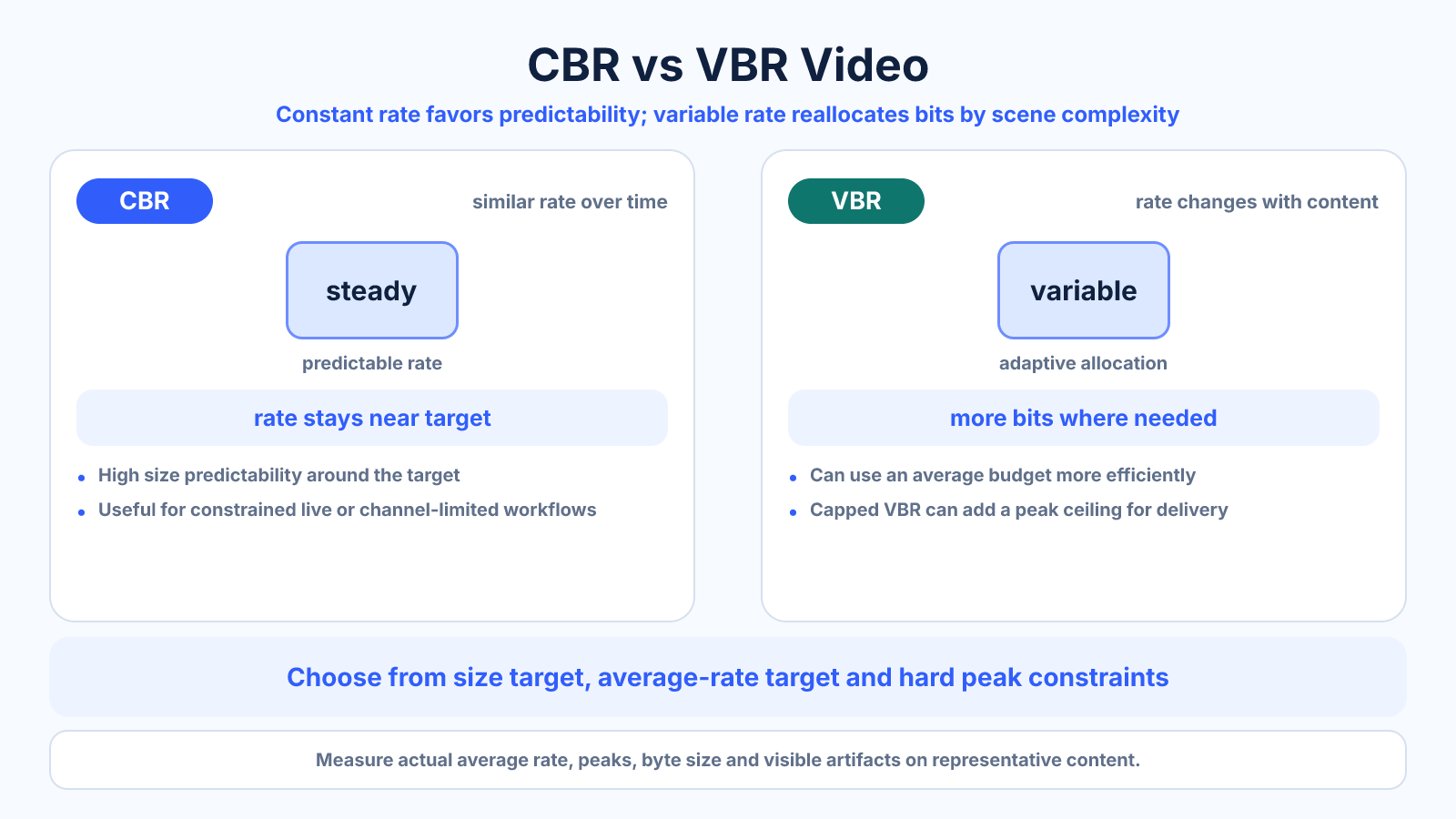
CBR targets a relatively constant data rate over time; VBR allocates more data to complex sections and less to simple ones. For file delivery, VBR can use a given average budget more efficiently. For constrained live transmission or strict peak-rate systems, controlled CBR or capped VBR may be preferable.
What matters most
- Average bitrate and duration predict size in both modes.
- VBR can improve allocation but may have higher peaks.
- Rate-control names and behavior vary by encoder.
How to apply it
- Identify whether the workflow has a size target, average-rate target or hard peak limit.
- Choose CBR, average VBR, quality-targeted VBR or capped VBR accordingly.
- Set audio and video budgets separately.
- Test simple and complex scenes plus bandwidth behavior where relevant.
- Measure actual average, peaks, byte size and visible artifacts.
Reference table
| Mode | Allocation | Size predictability | Common fit |
|---|---|---|---|
| CBR | Similar rate over time | High around target | Live/constrained channels |
| Average VBR | Varies around target | Good, not exact | File-size delivery |
| Quality-targeted VBR | Varies to maintain quality | Low | Archive/intermediate when size is flexible |
| Capped VBR | Varies below peak | Moderate | Streaming with bandwidth ceiling |
Use exact dimensions and units in production notes; familiar labels can describe more than one standard.
Understand what rate control is solving
A rate-control mode tells the encoder how to distribute limited data through time. CBR prioritizes a steady channel target; average VBR prioritizes an average over the full program; quality-targeted VBR allows size to change in pursuit of a quality level. The names do not describe codec efficiency by themselves.
Read the encoder's own documentation because implementations differ. Buffer models can allow a nominal CBR stream to fluctuate over short periods, and capped VBR may require both average and maximum values. Production notes should record the actual mode and parameters, not simply “VBR.”
- Identify average and peak constraints.
- Record buffer or cap settings.
- Do not generalize one encoder's labels to all others.
Predict size using the average rate
For either CBR or average-target VBR, approximate file size uses average total bitrate × duration ÷ eight. A ten-minute program averaging 8 Mb/s video plus 192 kb/s audio is nominally about 614 MB before overhead.
VBR does not inherently mean a smaller file when its average bitrate is the same; it means the encoder can spend those bits unevenly. A quality-targeted VBR mode is different because its final average is an outcome rather than a guaranteed input, making size less predictable.
- Use average, not peak bitrate, for size estimates.
- Include audio and container overhead.
- Distinguish average-target from quality-targeted VBR.
Let complex scenes receive appropriate data
A title card and a fast crowd scene do not need the same instantaneous data to achieve similar visible quality. VBR can save bits during simple sections and spend them during motion, texture or grain. With a useful encoder, this can outperform rigid allocation at the same average size.
The advantage is not unlimited. A low average remains a low budget, and an uncapped peak may exceed a decoder or network constraint. Test the hardest scene, inspect bitrate behavior and respect any level, buffer or service requirement.
- Test complexity across the full program.
- Do not expect VBR to repair an impossible average budget.
- Cap peaks when the destination requires it.
Match the mode to delivery conditions
For offline upload with a strict size ceiling, average-target VBR with a safety margin can distribute a known budget effectively. For a live connection with limited bandwidth, predictability and buffering may matter more. For a master where size is flexible, quality-targeted encoding can be appropriate after compatibility review.
Measure the actual file or stream instead of trusting the mode name. Check average rate, peak rate, buffer behavior, decoding stability and picture quality. Save the validated preset with destination and date because service recommendations and encoder behavior can change.
- Use average-target modes for calculated file budgets.
- Use controlled peaks for constrained channels.
- Validate the complete delivery chain.
Common mistakes to avoid
- Assuming CBR is literally identical bits in every instant.
- Using uncapped VBR where a device enforces peak rate.
- Expecting quality-targeted mode to hit an exact file size.
- Comparing rate-control labels across encoders without testing behavior.
Continue with the right tool
Use a calculator to check the numbers against your own source and destination instead of relying on a generic preset.
Related guides
How to Choose a Bitrate for a Target Video File Size
Calculate a safe video bitrate from duration and target file size while reserving space for audio, container overhead and variation.
Video compression and file sizeVideo Resolution vs Bitrate: Which One Controls Quality?
Learn how resolution and bitrate interact, why neither guarantees quality, and how to choose a balanced export for real content.
Video compression and file sizeHow to Reduce MP4 File Size Without Making It Look Bad
Reduce an MP4 file intelligently by trimming, choosing an efficient codec, controlling bitrate and testing the scenes most likely to break.
Frequently asked questions
Is VBR always better quality than CBR?
It can allocate a fixed average more efficiently, but encoder quality, settings, content and constraints determine the result.
Which mode gives an exact file size?
No mode is perfectly exact. Average-target workflows can approach a calculated size; always reserve margin and measure.
Why do VBR files have bitrate spikes?
Complex scenes receive more data to maintain quality, subject to any configured peak cap.
Should streaming use CBR?
Live and constrained streaming often need predictable rates, but service requirements and capped modes vary.