
The short version
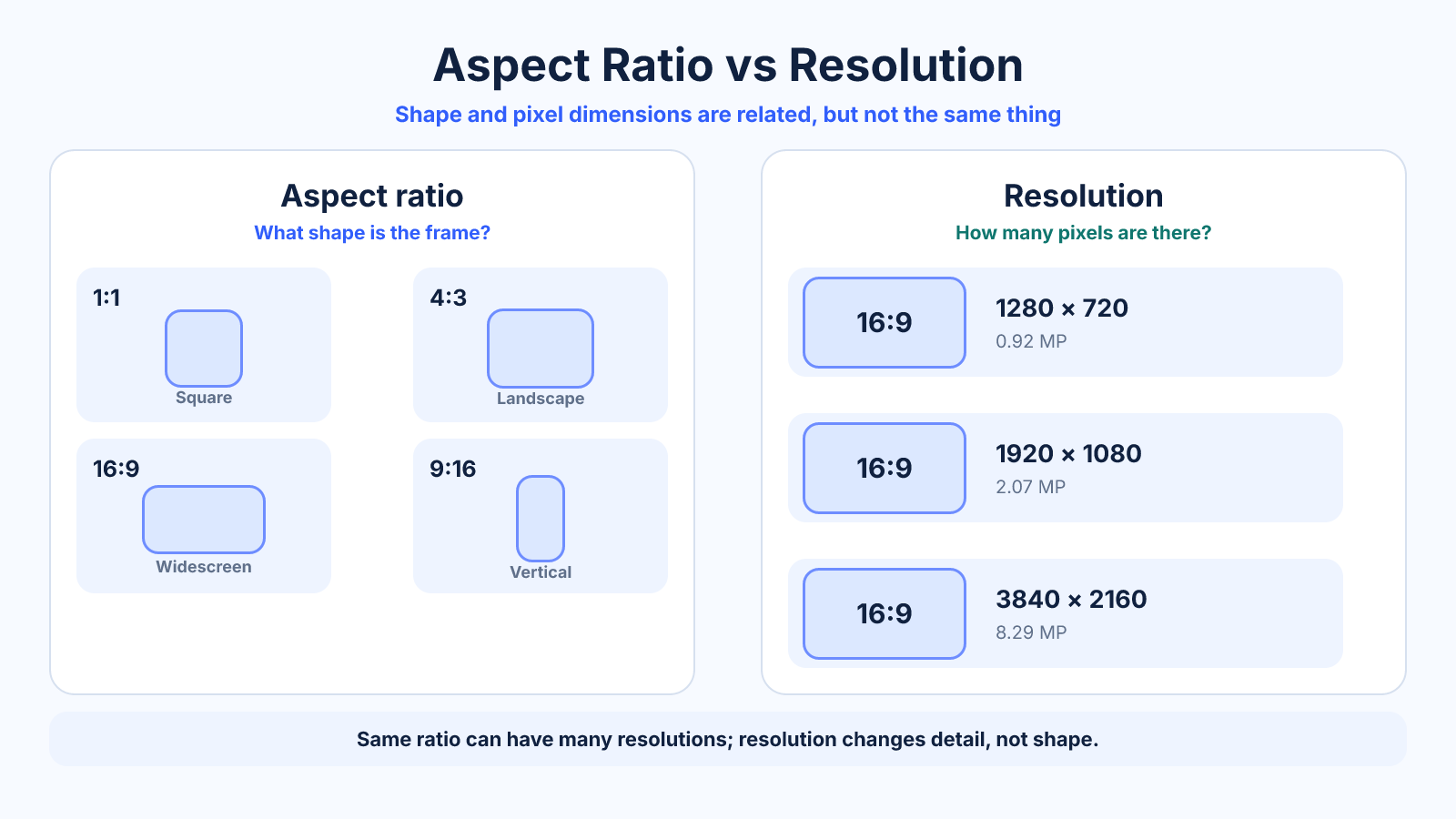
Aspect ratio describes proportional shape, while resolution gives the exact number of pixels across and down. 16:9 is a ratio; 1920 × 1080 is a resolution that happens to use that ratio.
What matters most
- Same ratio does not mean same detail.
- Same pixel count can be arranged into different shapes.
- Choose ratio for composition first, then resolution for delivery quality.
How to apply it
- Choose the destination's required shape.
- Set a resolution large enough for its display or print size.
- Keep both dimensions proportional during resizing.
- Select compression separately; it is not encoded by ratio or resolution.
Reference table
| Property | Aspect ratio | Resolution |
|---|---|---|
| Example | 16:9 | 1920 × 1080 |
| Describes | Shape | Pixel dimensions |
| Affects | Framing and crop | Detail and processing load |
| Independent of scale | Yes | No |
Use exact dimensions and units in production notes; familiar labels can describe more than one standard.
Shape versus pixel dimensions
Aspect ratio is a proportional shape written width:height. Resolution is an exact pixel grid written width x height. A 16:9 frame could be 1280 x 720, 1920 x 1080 or 3840 x 2160; each has the same shape but a different number of pixels.
Orientation is another separate property. Any rectangle wider than it is tall is landscape, but landscape frames can be 4:3, 3:2, 16:9 or many other ratios. Using the precise term makes production requirements easier to understand.
Same ratio does not mean same quality
A 640 x 360 image and a 3840 x 2160 image are both 16:9, but the larger file contains 36 times as many pixels. It can represent finer spatial detail when the source and encoding preserve that information. Ratio alone cannot tell whether a file is sharp enough.
Resolution also does not guarantee quality. Focus, lens performance, noise, compression, color sampling and processing can make a high-resolution file look poor. Treat pixel dimensions as capacity, then inspect the actual source at its intended display or print size.
Similar pixel counts can use different shapes
Two files can contain roughly the same number of pixels while arranging them differently. A square image spends its pixels evenly across both axes; an ultrawide image spreads more of them horizontally. Composition and destination compatibility change even if total megapixels remain close.
That is why megapixels alone cannot reveal width, height or aspect ratio. Before resizing or buying display hardware, record the exact dimensions and simplified ratio rather than relying on total pixels or a marketing name.
Which should you choose first?
Choose aspect ratio first when composition and placement shape are fixed. It determines what remains visible and whether crop or padding is required. Then choose pixel dimensions large enough for the destination, performance budget and expected viewing conditions.
For an existing source, reverse the check: inspect its exact resolution, calculate its ratio, and compare both with the destination. Matching only one property can still fail—for example, a high-resolution 4:3 image may need a substantial crop for a 16:9 banner.
Worked delivery example
Suppose a 4000 x 3000 photo must become a 1920 x 1080 video background. The source is 4:3 and the destination is 16:9. Resizing to 1920 pixels wide gives a proportional height of 1440, so a fill crop removes 360 pixels of height at the output scale.
A fit conversion instead produces 1440 x 1080 content with 240-pixel side bars on each side. Both outputs are 1920 x 1080 resolution, but they make different composition choices. Resolution specifies the canvas; ratio comparison explains the crop or bars.
Common mistakes to avoid
- Calling 4K an aspect ratio.
- Expecting a larger resolution to fix an unsuitable crop.
- Ignoring compression when comparing visual quality.
Continue with the right tool
Use a calculator to check the numbers against your own source and destination instead of relying on a generic preset.
Related guides
Portrait vs Landscape: Orientation, Ratios and When to Use Each
Compare portrait and landscape orientation for photos, documents, screens and social video, with practical composition guidance.
Aspect ratio basicsWhat Is Aspect Ratio? A Practical Guide to Image and Video Shape
Understand aspect ratio, how width and height form a ratio, why it differs from resolution, and how to choose the right shape for images and video.
Aspect ratio basicsHow to Find an Aspect Ratio from Width and Height
Find and simplify any aspect ratio from pixel dimensions, with worked examples, decimal ratios and guidance for non-standard sizes.
Frequently asked questions
Does higher resolution change aspect ratio?
Not when both dimensions scale proportionally.
Is 4K always 16:9?
No. Consumer 3840 × 2160 is 16:9, while DCI 4096 × 2160 is 256:135.
Which should I choose first?
Usually aspect ratio, because it determines composition and compatibility with the destination.