
The short version
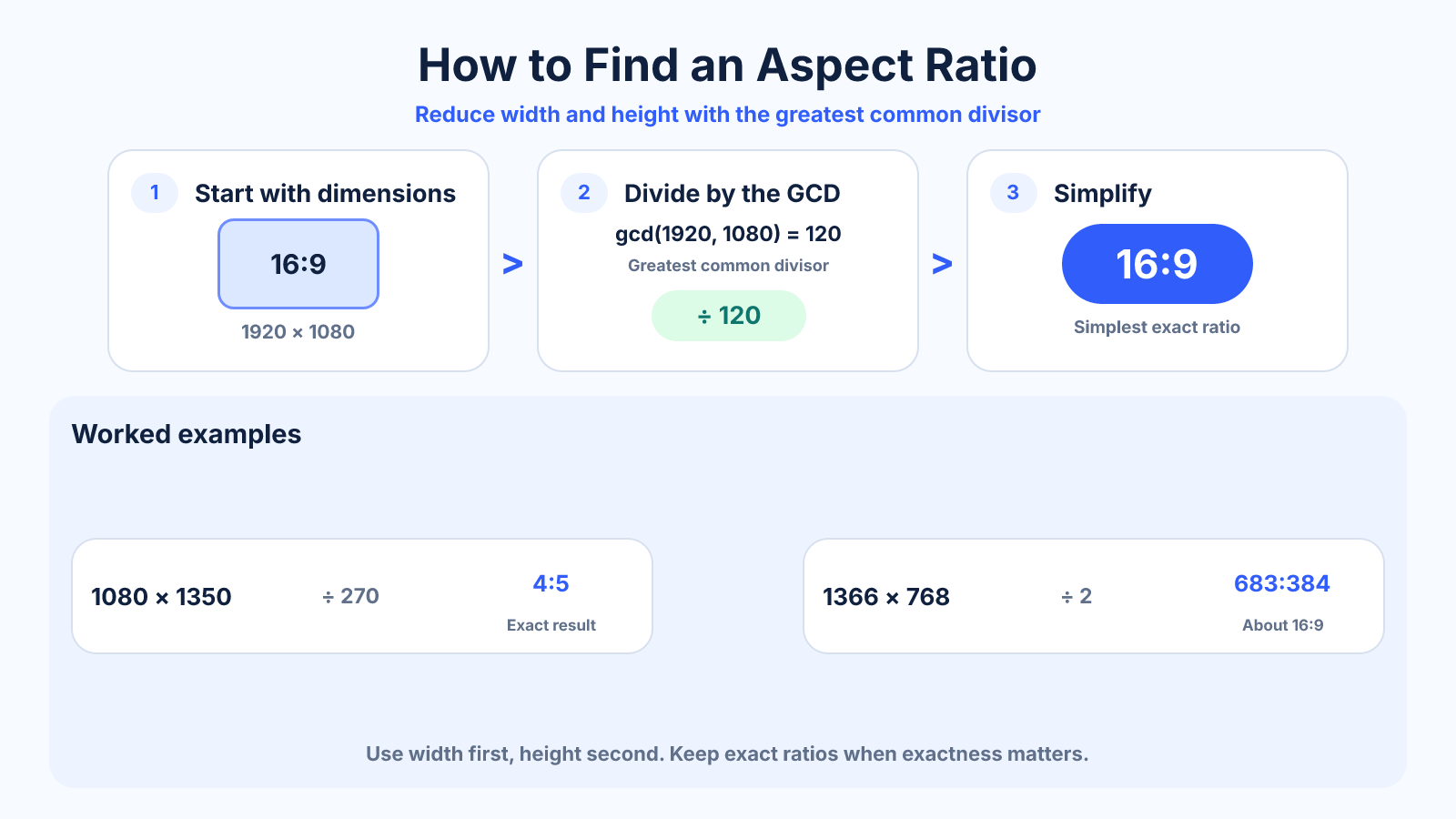
Divide width and height by their greatest common divisor. For 1920 × 1080, the greatest common divisor is 120, so the simplified aspect ratio is 16:9.
Use this guide when
Use this guide when you already have width and height and need to reduce those numbers to a ratio.
Choose a different guide when:
- To learn the concept before calculating, read What Is Aspect Ratio? A Practical Guide to Image and Video Shape.
- To change an existing frame to a new shape, read How to Change Aspect Ratio Without Ruining the Composition.
What matters most
- Use the original pixel dimensions when possible.
- A decimal value helps compare nearly matching ratios.
- Some display labels such as 21:9 are marketing families rather than exact ratios.
How to apply it
- Record width first and height second.
- Find the greatest whole number that divides both dimensions.
- Divide both values by that number.
- If the result is unwieldy, calculate width ÷ height and report an approximate familiar ratio.
Reference table
| Dimensions | Calculation | Result |
|---|---|---|
| 1920 × 1080 | ÷ 120 | 16:9 |
| 1080 × 1350 | ÷ 270 | 4:5 |
| 3000 × 2000 | ÷ 1000 | 3:2 |
| 1366 × 768 | ÷ 2 | 683:384, approximately 16:9 |
Use exact dimensions and units in production notes; familiar labels can describe more than one standard.
Find an exact ratio with the greatest common divisor
Record width first and height second, then divide both by their greatest common divisor. For 1920 x 1080, the greatest common divisor is 120. Dividing gives 16 and 9, so the exact aspect ratio is 16:9.
For 1080 x 1350, the greatest common divisor is 270 and the result is 4:5. The method works for pixels, inches or centimeters as long as both measurements use the same unit and describe corresponding edges.
How to find the greatest common divisor
With manageable numbers, list shared factors and choose the largest. For a dependable method, use the Euclidean algorithm: divide the larger number by the smaller, replace the pair with the smaller number and remainder, and repeat until the remainder is zero. The last nonzero value is the greatest common divisor.
A calculator is faster for production work and reduces transcription mistakes. Still, understanding the method helps explain why 3840 x 2160 simplifies to 16:9 while 1366 x 768 does not.
Use decimal ratios for near matches
Divide width by height to compare awkward ratios. Exact 16:9 is about 1.7778. The resolution 1366 x 768 is about 1.7786, so it is very close but not identical. This distinction matters when calculating exact crop boundaries or matching multiple layers.
Do not round early and then claim an exact match. Report the simplified fraction when exactness matters and optionally name the nearest familiar family. A marketing label such as 21:9 can also cover several different pixel ratios.
To compare error, subtract the target decimal from the source decimal and divide by the target. Even a small difference can create a visible strip across a very large canvas, so use exact dimensions for overlays, masks and multi-screen work.
Find a missing width or height
For a target ratio a:b, height equals width multiplied by b divided by a. A 1600-pixel-wide 16:9 frame therefore has an ideal height of 900 pixels. To find width from height, multiply height by a divided by b.
Video encoders and image formats may require whole or even-numbered dimensions. If a calculation produces a fraction, round according to the workflow and check the resulting ratio error. A one-pixel adjustment is usually harmless, but it should not be described as mathematically exact.
Common mistakes to avoid
- Dividing only one dimension.
- Rounding too early and treating a near match as exact.
- Using file size or megapixels instead of width and height.
Continue with the right tool
Use a calculator to check the numbers against your own source and destination instead of relying on a generic preset.
Related guides
How to Change Aspect Ratio Without Ruining the Composition
Choose between crop, padding and reframing when changing an image or video aspect ratio, with a practical decision process.
Aspect ratio basicsWhat Is Aspect Ratio? A Practical Guide to Image and Video Shape
Understand aspect ratio, how width and height form a ratio, why it differs from resolution, and how to choose the right shape for images and video.
Aspect ratio basicsHow to Change Aspect Ratio Without Cropping
Keep every part of an image or video visible by adding canvas space, letterboxing or designing an adaptive background.
Frequently asked questions
Why does 1366 × 768 not simplify to 16:9?
Its exact ratio is 683:384. It is only about 0.05% wider than 16:9, so it is commonly grouped with that family.
Should units be pixels?
No, but both values must use the same unit. Inches, centimeters and pixels all work.
Can I find ratio from megapixels alone?
No. Total pixel count does not reveal how those pixels are split between width and height.