
The short version
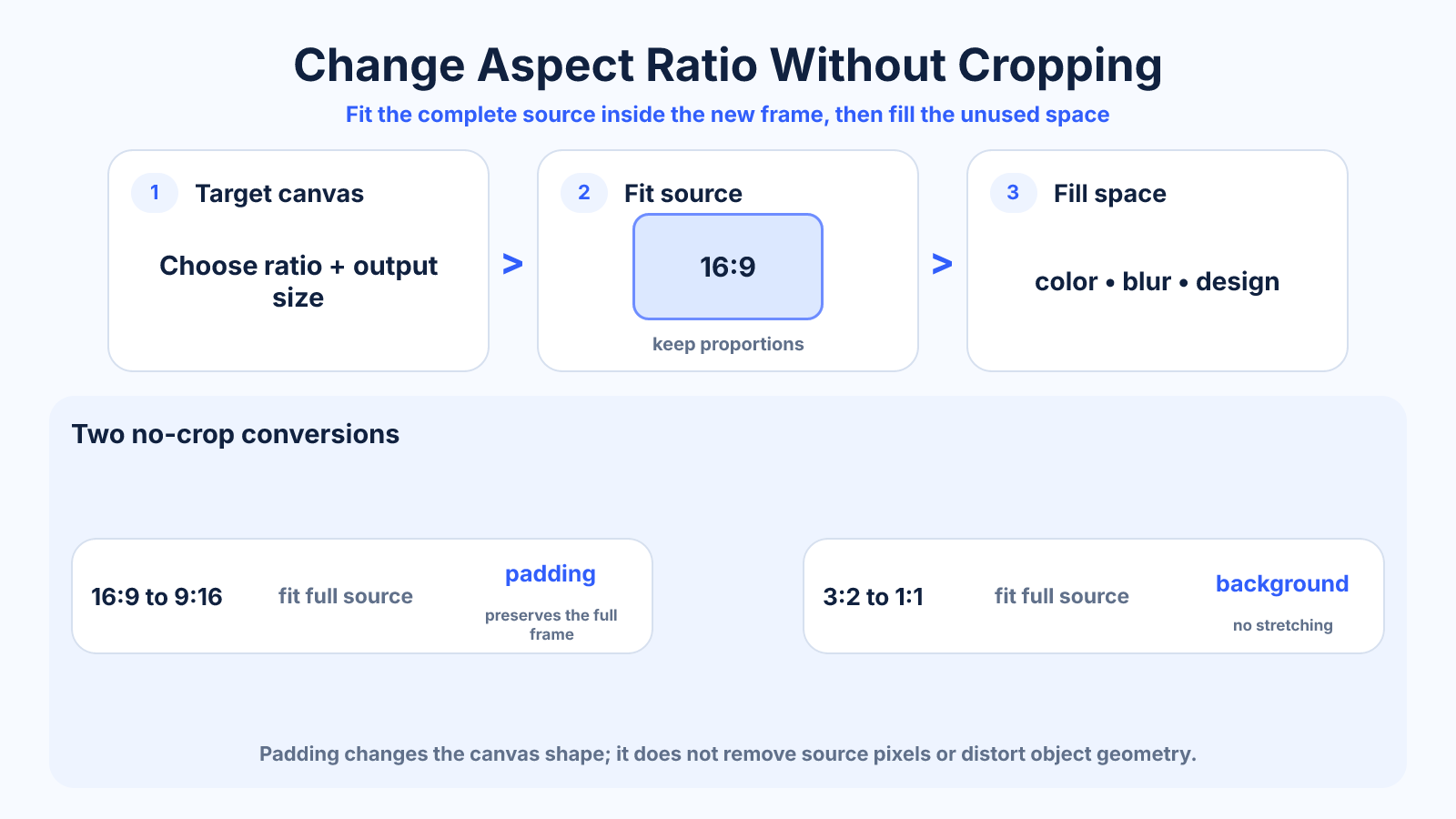
Fit the complete source inside the new frame and fill the unused area with a color, blur, pattern or extended background. This preserves every source pixel and avoids stretching.
Use this guide when
Use this guide when preserving the complete image or video frame is required and added canvas space is acceptable.
Choose a different guide when:
- To compare all ratio-change methods, read How to Change Aspect Ratio Without Ruining the Composition.
- To decide between crop and bars for video, read Crop vs Letterbox: Which Video Framing Method Should You Use?.
What matters most
- Unmatched ratios always leave unused space when nothing is cropped.
- Bars are a geometry result, not an export error.
- A purpose-designed background usually looks better than automatic blur behind text-heavy content.
How to apply it
- Create a canvas at the target ratio and resolution.
- Scale the source proportionally until it fits entirely inside.
- Center or deliberately align the source.
- Fill remaining space and verify text contrast and safe areas.
Reference table
| Fill choice | Advantage | Watch for |
|---|---|---|
| Solid color | Small and predictable | May look visually detached |
| Blurred duplicate | Uses source colors | Can distract behind text |
| Extended design | Most intentional | Requires manual work |
| Transparent canvas | Flexible downstream | Not supported by every video format |
Use exact dimensions and units in production notes; familiar labels can describe more than one standard.
Why a different ratio cannot both fit and fill
Two rectangles with different proportions cannot occupy the same frame while simultaneously preserving all source content, filling every edge and keeping geometry unchanged. At least one requirement must give way: crop part of the source, leave unused space, stretch the image or create new content beyond its edges.
A no-crop workflow chooses to preserve the complete source. The correct geometric method is to scale it proportionally until it fits inside the target, then decide what to place in the remaining area. Bars are evidence of mismatched shapes, not a calculation failure.
Fill the unused canvas intentionally
A solid color is predictable and lightweight, especially for logos, diagrams and documents. A blurred duplicate can visually connect with photographic or video content, but it may distract behind captions. A designed background offers the most control for branded posts and advertisements.
Transparent padding is useful for PNG graphics and later composition, but many video formats and social platforms replace transparency with a solid color. Test the final destination instead of assuming alpha transparency will survive every export and upload step.
Canvas extension and generative expansion
Traditional canvas extension can continue a simple color, gradient, texture or repeated pattern without altering the original. Generative expansion can create plausible scenery around a photograph, making the new ratio appear full-frame rather than padded.
Generated edges are new content, not recovered source information. Inspect architecture, hands, text, products, reflections and repeating patterns for errors. Avoid presenting generated expansion as documentary evidence, and keep the untouched original available.
Step-by-step no-crop workflow
Create a target canvas at the required ratio and resolution. Place the source, lock its proportions and scale until every source edge is visible. Align it intentionally—centered is common but not mandatory—then design the empty bands to support rather than compete with the subject.
Check text contrast, platform safe zones and final file dimensions. For video, verify that the background and source share the same duration and frame rate. Export a test, view it on the destination device, and retain the layered project for future ratios.
Common portrait and landscape conversions
A 16:9 landscape video fitted into 9:16 will leave large areas above and below unless the source is cropped. Those areas can hold a title, captions or branded graphics. A 4:3 photo fitted into a 4:5 portrait frame leaves a smaller amount of space and may need only a restrained border.
Design from the real ratio difference rather than copying one padding size. The available space depends on both source and destination dimensions, and rounding can produce a one-pixel difference. Use a converter to calculate the fit before building the background.
Common mistakes to avoid
- Zooming until the bars disappear, which silently crops the source.
- Stretching to fill the frame.
- Using black bars when the publishing platform will add a different background.
Continue with the right tool
Use a calculator to check the numbers against your own source and destination instead of relying on a generic preset.
Related guides
Aspect Ratio vs Resolution: What Each Number Actually Means
Learn the difference between aspect ratio and resolution and how both affect framing, sharpness, file size and export decisions.
Video framing and deliveryCrop vs Letterbox: Which Video Framing Method Should You Use?
Compare cropping and letterboxing with exact geometry, composition tradeoffs and a practical decision process for video delivery.
Aspect ratio basicsHow to Change Aspect Ratio Without Ruining the Composition
Choose between crop, padding and reframing when changing an image or video aspect ratio, with a practical decision process.
Frequently asked questions
Why do black bars appear?
The source and destination shapes differ, so fitting the whole source leaves unused space on two sides.
Are bars always black?
No. You can use any suitable background, although some players add their own neutral bars.
Can AI expansion avoid bars?
It can generate new edge content, but the generated area should be reviewed for artifacts and factual changes.