
The short version
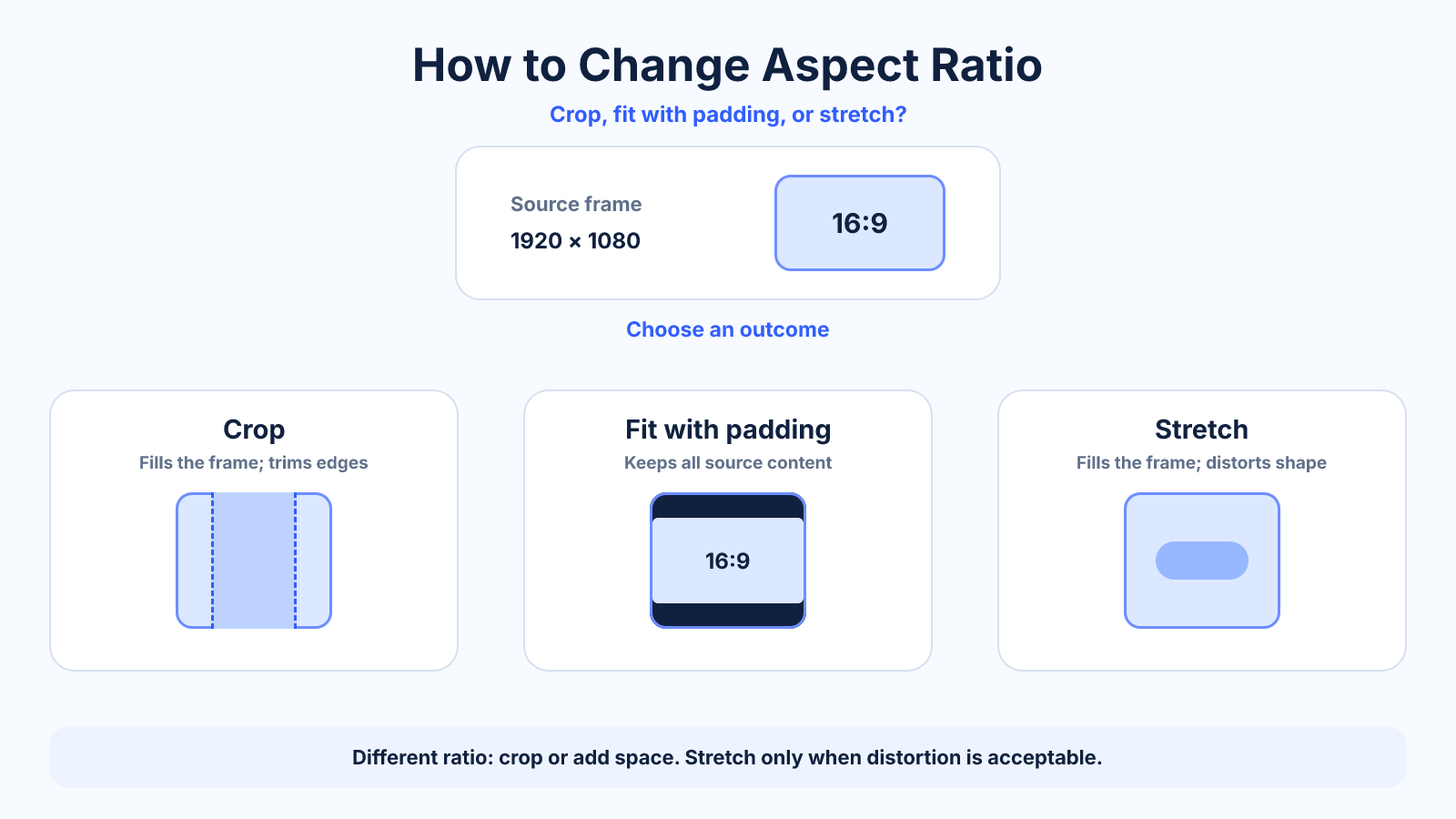
To change aspect ratio without distortion, either crop the source, add canvas space, or recompose the content. Resizing width and height independently changes the shape but stretches the subject.
Use this guide when
Use this guide to choose among cropping, padding and reframing when the source and destination shapes differ.
Choose a different guide when:
- To keep every source pixel, read How to Change Aspect Ratio Without Cropping.
- To apply the decision specifically to video, read How to Convert Video Aspect Ratio Without Stretching.
What matters most
- Crop when edge content is expendable.
- Add canvas or bars when every source pixel must remain visible.
- Recompose text and subjects for important platform-specific exports.
How to apply it
- Identify the source ratio and exact destination ratio.
- Preview crop loss in both horizontal and vertical directions.
- Choose crop, fit or a redesigned layout based on the subject.
- Export at sufficient pixel dimensions and inspect the final file at 100% zoom.
Reference table
| Method | Keeps all content | Best for |
|---|---|---|
| Crop | No | Full-bleed images with safe edges |
| Padding | Yes | Logos, slides and complete artwork |
| Recompose | Usually | Text-heavy designs and ads |
| Stretch | Yes, but distorted | Generally avoid |
Use exact dimensions and units in production notes; familiar labels can describe more than one standard.
Choose the destination ratio before editing
Start with the placement, not a familiar preset. A horizontal video player commonly uses 16:9, a vertical mobile placement may use 9:16, and a portrait feed image may use 4:5. Check the destination's current requirements and note the exact width and height as well as the ratio.
Then calculate the source ratio and compare it with the target. If they match, proportional resizing is enough. If they differ, the edit must remove content, add space, alter geometry or generate new edge content. Naming that tradeoff before editing prevents accidental stretching.
Crop, fit or recompose: which method to use
Crop when the destination must be filled edge to edge and the source has expendable space. Fit when every original pixel must remain visible; unmatched ratios will leave bars or canvas space. Recompose when text, products or multiple subjects need deliberate placement in the new frame.
Stretching changes width and height by different percentages. It fills the target without crop or bars, but distorts shapes and is usually unacceptable for photographs, logos and normal video. Treat it as a special effect, not a default conversion method.
A workflow that works across image and video editors
Create a canvas or sequence at the target ratio and final dimensions. Place the source inside it, preserve its proportions, and preview both a fill crop and a complete fit. Reposition the source rather than relying on automatic center crop when the subject is off-center.
For video, inspect motion across the entire clip because a crop that works on the first frame may cut off a moving subject later. Keyframe the position when necessary. For images, check faces, text, product edges and negative space at the final display size.
Prepare one master for multiple aspect ratios
Keep an uncropped, high-resolution master and create each destination version directly from it. Do not make a square version from an already cropped portrait file, because each generation loses composition options and may accumulate compression damage.
When producing new content, keep critical action and captions in a central safe area while capturing useful edge room. Text-heavy designs often need separate layouts rather than automated crops. Save the crop position and export settings so future updates remain consistent.
Quality checks before export
Verify that circles remain circular, people are not widened or compressed, and lines are not bent by non-proportional scaling. Check that the final pixel dimensions match the destination and that important content stays clear of interface overlays and trim areas.
Export once from the master with suitable compression. Review the actual uploaded result because platforms may add their own crop, background or preview behavior. Preserve the source and project file so the ratio can be revised without degrading a previous export.
Common mistakes to avoid
- Choosing a preset before checking what will be cut off.
- Assuming resize and crop mean the same thing.
- Leaving captions or faces under platform interface overlays.
Continue with the right tool
Use a calculator to check the numbers against your own source and destination instead of relying on a generic preset.
Related guides
How to Change Aspect Ratio Without Cropping
Keep every part of an image or video visible by adding canvas space, letterboxing or designing an adaptive background.
Aspect ratio basicsWhat Is Aspect Ratio? A Practical Guide to Image and Video Shape
Understand aspect ratio, how width and height form a ratio, why it differs from resolution, and how to choose the right shape for images and video.
Aspect ratio basicsHow to Find an Aspect Ratio from Width and Height
Find and simplify any aspect ratio from pixel dimensions, with worked examples, decimal ratios and guidance for non-standard sizes.
Frequently asked questions
Can aspect ratio change without cropping?
Yes, by adding canvas space or generating new background content. The visible frame changes without removing the source.
Does resizing change aspect ratio?
Only if width and height change by different percentages; that also distorts the image.
Which method gives the best quality?
Crop or padding preserves pixel geometry. Quality then depends on final dimensions and compression.
Sources and further reading
These references support the technical definitions and platform-specific guidance used above.
- Microsoft: change a video aspect ratioAn example of crop and fit controls in a mainstream editor.