
The short version
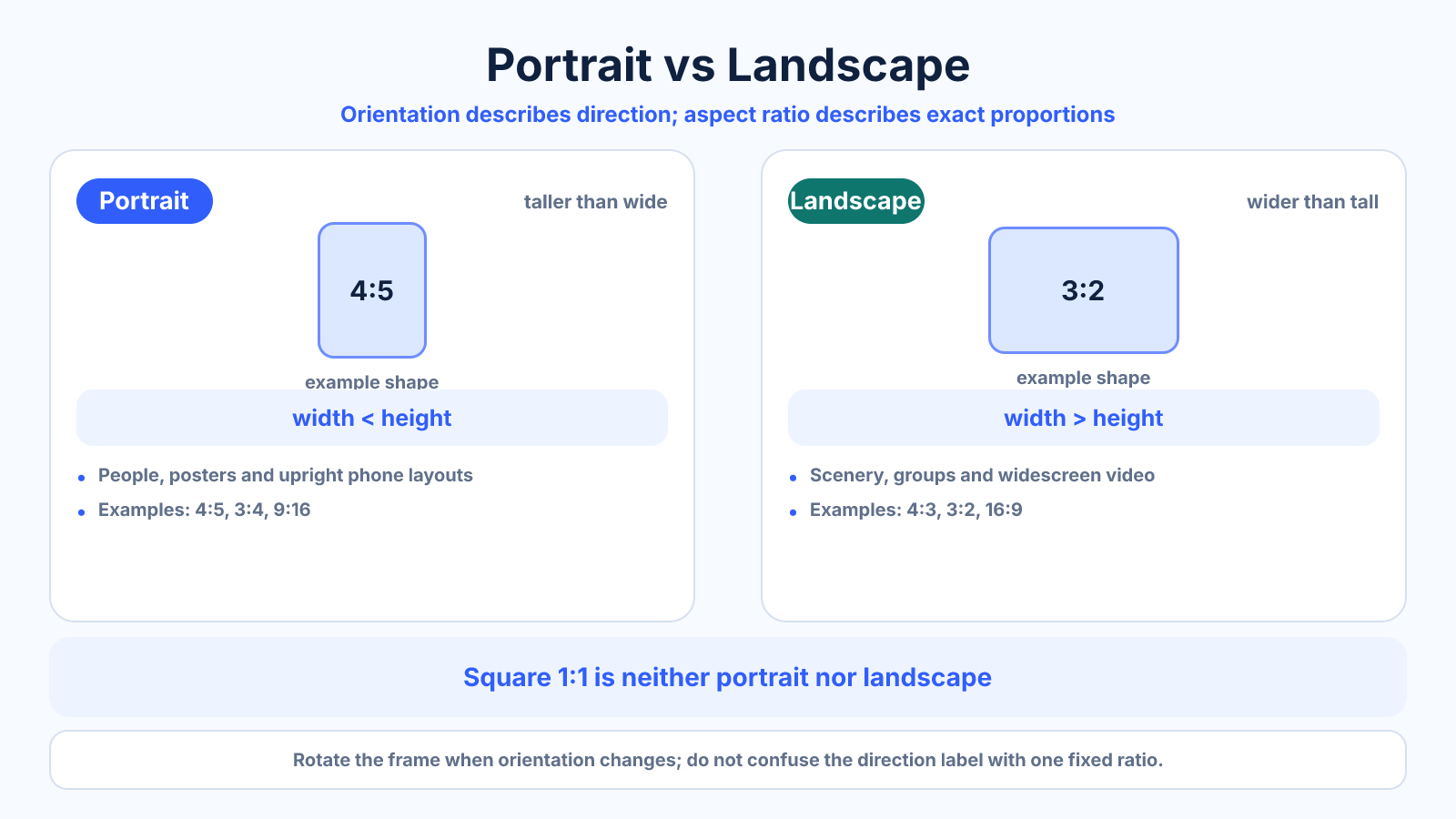
Portrait is taller than it is wide; landscape is wider than it is tall. Orientation describes direction, while aspect ratio describes the exact proportions within that direction.
What matters most
- Portrait favors vertical subjects and phone-first viewing.
- Landscape shows environments, groups and horizontal movement.
- Square is neither portrait nor landscape because width and height are equal.
How to apply it
- Start with the subject's natural direction and visual movement.
- Check the final display or platform shape.
- Leave space for text and interface overlays.
- Capture or design extra edge room if both orientations are needed.
Reference table
| Orientation | Example ratios | Often useful for |
|---|---|---|
| Portrait | 4:5, 3:4, 9:16 | People, posters and mobile video |
| Landscape | 4:3, 3:2, 16:9 | Scenery, groups and widescreen video |
| Square | 1:1 | Icons, grids and flexible social posts |
Use exact dimensions and units in production notes; familiar labels can describe more than one standard.
Choose orientation from the subject, not the label
Portrait orientation gives vertical subjects room to breathe. It often suits a standing person, a full-length product, a tall building or a phone-first composition. Landscape orientation supports horizontal movement and context, such as scenery, groups, interiors, presentations and traditional widescreen video.
Neither direction is automatically more professional. The useful question is what the frame must communicate. If the environment explains the story, landscape usually preserves more context. If one person or object is the clear priority, portrait can reduce distractions and use an upright screen more efficiently.
Portrait vs landscape photography composition
Turning the camera is not enough; the composition should change with it. In portrait, watch the space above and below the subject and avoid placing important details where a later square crop will remove them. In landscape, use horizontal layers, leading lines or subject movement to justify the extra width.
When the final use is unknown, shoot a slightly wider master with meaningful negative space. Take both orientations when the moment allows. This is especially valuable for editorial, product and event work where the same image may later appear in a horizontal banner, a vertical story and a square thumbnail.
Printing, documents and video
For print, orientation simply changes which paper edge is treated as the width. A 4 x 6-inch sheet is the same physical paper as 6 x 4; printer settings determine whether content is placed portrait or landscape. Check the preview because some applications rotate the page while others rotate the artwork inside it.
For video, viewing context matters. A horizontal 16:9 frame remains the safest general format for televisions, presentations and many embedded players. A vertical 9:16 frame fills an upright phone and suits short-form mobile viewing. If both are required, keep titles and essential action in an area that survives both crops.
A practical orientation checklist
Use portrait when the subject is tall, the destination is phone-first, or vertical hierarchy is more important than surrounding context. Use landscape when multiple subjects must share the frame, motion travels sideways, or the destination is a widescreen display. Use square when a compact grid placement matters more than either direction.
Before committing, test the smallest important placement. A composition that looks balanced full-screen can fail as a thumbnail. Check faces, readable text, horizon placement and interface overlays, then export each required orientation from the original rather than repeatedly cropping an already cropped file.
Common mistakes to avoid
- Equating portrait with one fixed ratio.
- Rotating a frame without rethinking composition.
- Placing the subject at an edge needed for a second crop.
Continue with the right tool
Use a calculator to check the numbers against your own source and destination instead of relying on a generic preset.
Related guides
Common Aspect Ratios for Photos, Video, Screens and Social Media
A practical reference to common aspect ratios, their exact shapes and the situations where each format is normally useful.
Aspect ratio basicsAspect Ratio vs Resolution: What Each Number Actually Means
Learn the difference between aspect ratio and resolution and how both affect framing, sharpness, file size and export decisions.
Aspect ratio basicsWhat Is Aspect Ratio? A Practical Guide to Image and Video Shape
Understand aspect ratio, how width and height form a ratio, why it differs from resolution, and how to choose the right shape for images and video.
Frequently asked questions
Is vertical the same as portrait?
Usually yes in layout discussions. Portrait is the more traditional print and photography term.
Can 4:3 be portrait?
The portrait orientation is written 3:4. Ratio order follows width first, then height.
Which is better for phones?
Portrait usually fills more of an upright phone, but the correct choice depends on the platform and content.