
The short version
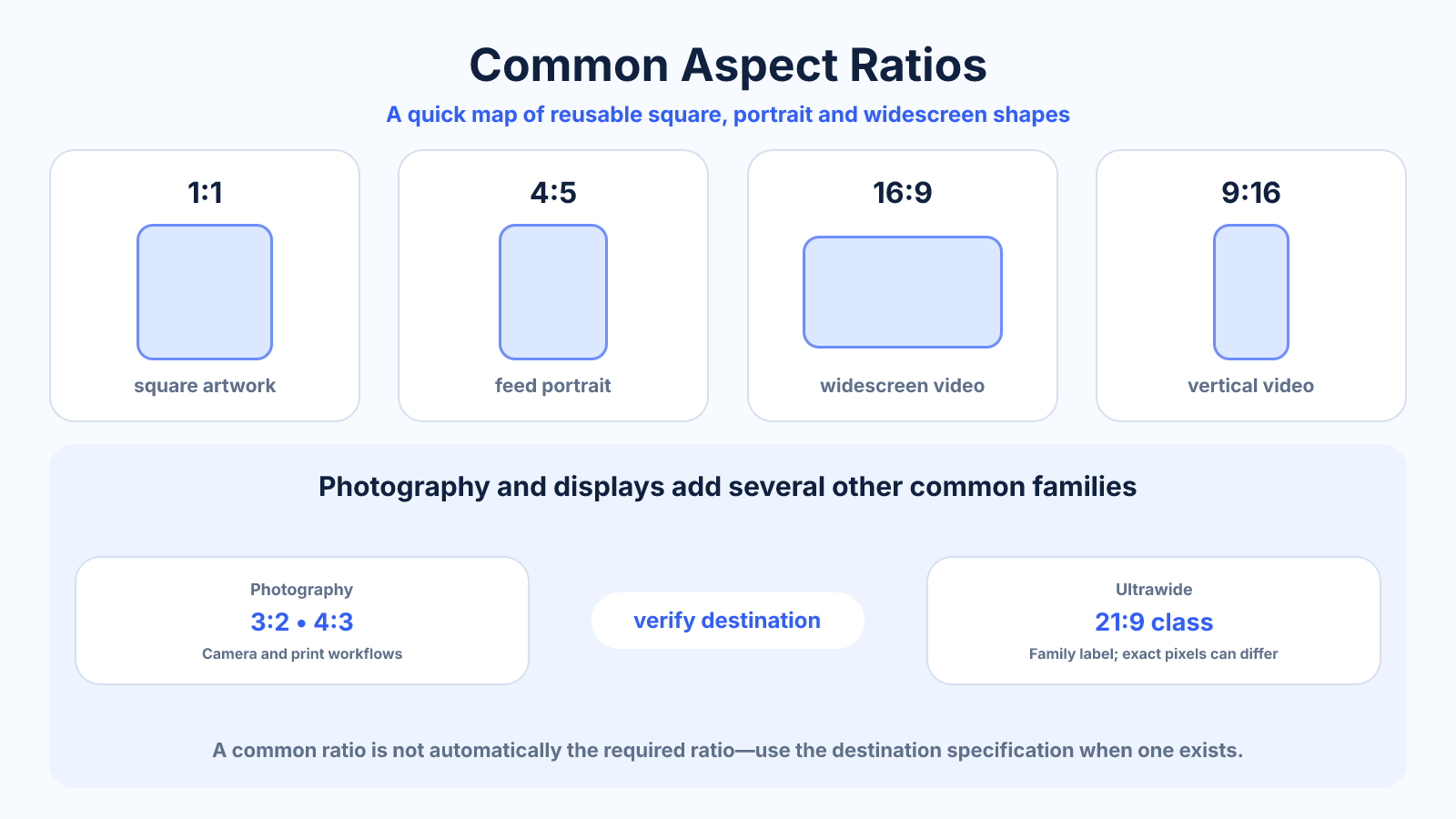
The most reusable ratios are 1:1 for square media, 4:5 and 3:4 for portraits, 3:2 and 4:3 for photography, 16:9 for widescreen video, 9:16 for vertical video and 21:9-class formats for ultrawide displays.
What matters most
- A common ratio is not automatically the required ratio.
- Platform specifications can change, so verify before final export.
- Capture at higher resolution and with safe edge space when multiple crops are expected.
How to apply it
- Identify whether the destination is print, screen, video or social media.
- Choose the shape that matches its display container.
- Select proportional pixel dimensions.
- Test the result in the actual destination rather than relying only on the editor preview.
Reference table
| Ratio | Decimal | Typical role |
|---|---|---|
| 1:1 | 1.00 | Square artwork |
| 4:5 | 0.80 | Feed portrait |
| 3:2 | 1.50 | Photography |
| 4:3 | 1.33 | Photography and classic displays |
| 16:9 | 1.78 | Widescreen video |
| 9:16 | 0.56 | Vertical video |
| 21:9 class | About 2.33 | Ultrawide displays |
Use exact dimensions and units in production notes; familiar labels can describe more than one standard.
Square and portrait aspect ratios
A 1:1 square is compact and works well in grids, icons and placements where orientation flexibility matters. The 4:5 ratio is a relatively broad portrait commonly used for feed-style images, while 3:4 appears in photography and document-like layouts. A 9:16 frame is much taller and suits full-screen vertical video.
These portrait ratios are not interchangeable. Moving from 4:5 to 9:16 either removes substantial side content or adds space above and below. Design text and subjects for the actual destination rather than labeling every vertical asset ‘portrait’ and expecting it to fit.
Common photography and print ratios
The 3:2 ratio is common in cameras and matches a 4 x 6 print. The 4:3 ratio is common in phones and some camera systems. Print formats such as 5 x 7, 8 x 10 and 11 x 14 use different proportions, so ordering several sizes from one photo may require a separate crop for each.
Keep the uncropped original and preview lab trim. A photograph can have ample resolution yet still be unsuitable for a print ratio if important subjects touch the edges. Composition space is as important as pixel count when multiple print sizes are planned.
Video and cinema aspect ratios
The 16:9 ratio is the standard widescreen shape for most consumer video, televisions and presentations. The 9:16 reverse is common for vertical mobile video. Cinema content may use wider shapes such as approximately 1.85:1 or 2.39:1, which can create bars on a 16:9 display.
Do not stretch wide cinema material to remove bars. The bars preserve the original composition when display and content shapes differ. If a platform requires a new ratio, create an intentional crop or reframed version from the master.
Monitor and display ratio families
Modern standard monitors commonly use 16:9. Productivity and gaming displays also use ultrawide families marketed as 21:9 and super-ultrawide 32:9. The 21:9 name may cover exact ratios such as 3440:1440, which simplifies to 43:18 rather than exactly 21:9.
Use exact resolution for wallpapers, capture and multi-monitor layouts. A family label is convenient for shopping, but a few pixels of ratio difference can matter when building edge-to-edge assets or aligning several displays.
How to select the right common ratio
First identify the destination container and whether it crops automatically. Then choose the composition that supports the subject, confirm safe zones, and select proportional pixel dimensions. Platform specifications and print-provider requirements take priority over a generic chart.
If one asset must serve several placements, capture more area than the primary crop and keep key content near a shared safe center. Export separate files from the master instead of relying on each platform to choose an automatic crop.
Common mistakes to avoid
- Assuming a platform accepts only one ratio.
- Using a familiar name such as 21:9 without checking the exact pixel ratio.
- Choosing resolution before deciding composition.
Continue with the right tool
Use a calculator to check the numbers against your own source and destination instead of relying on a generic preset.
Related guides
What Is Aspect Ratio? A Practical Guide to Image and Video Shape
Understand aspect ratio, how width and height form a ratio, why it differs from resolution, and how to choose the right shape for images and video.
Aspect ratio basicsHow to Find an Aspect Ratio from Width and Height
Find and simplify any aspect ratio from pixel dimensions, with worked examples, decimal ratios and guidance for non-standard sizes.
Aspect ratio basicsHow to Change Aspect Ratio Without Ruining the Composition
Choose between crop, padding and reframing when changing an image or video aspect ratio, with a practical decision process.
Frequently asked questions
What is the most common video ratio?
16:9 is the standard widescreen shape for most horizontal online video and televisions.
What ratio do phone photos use?
It varies by camera setting and device; 4:3 is common, while some modes crop to 16:9 or other shapes.
What ratio is best for every platform?
There is no universal best ratio. Choose based on the placement and viewing context.