
The short version
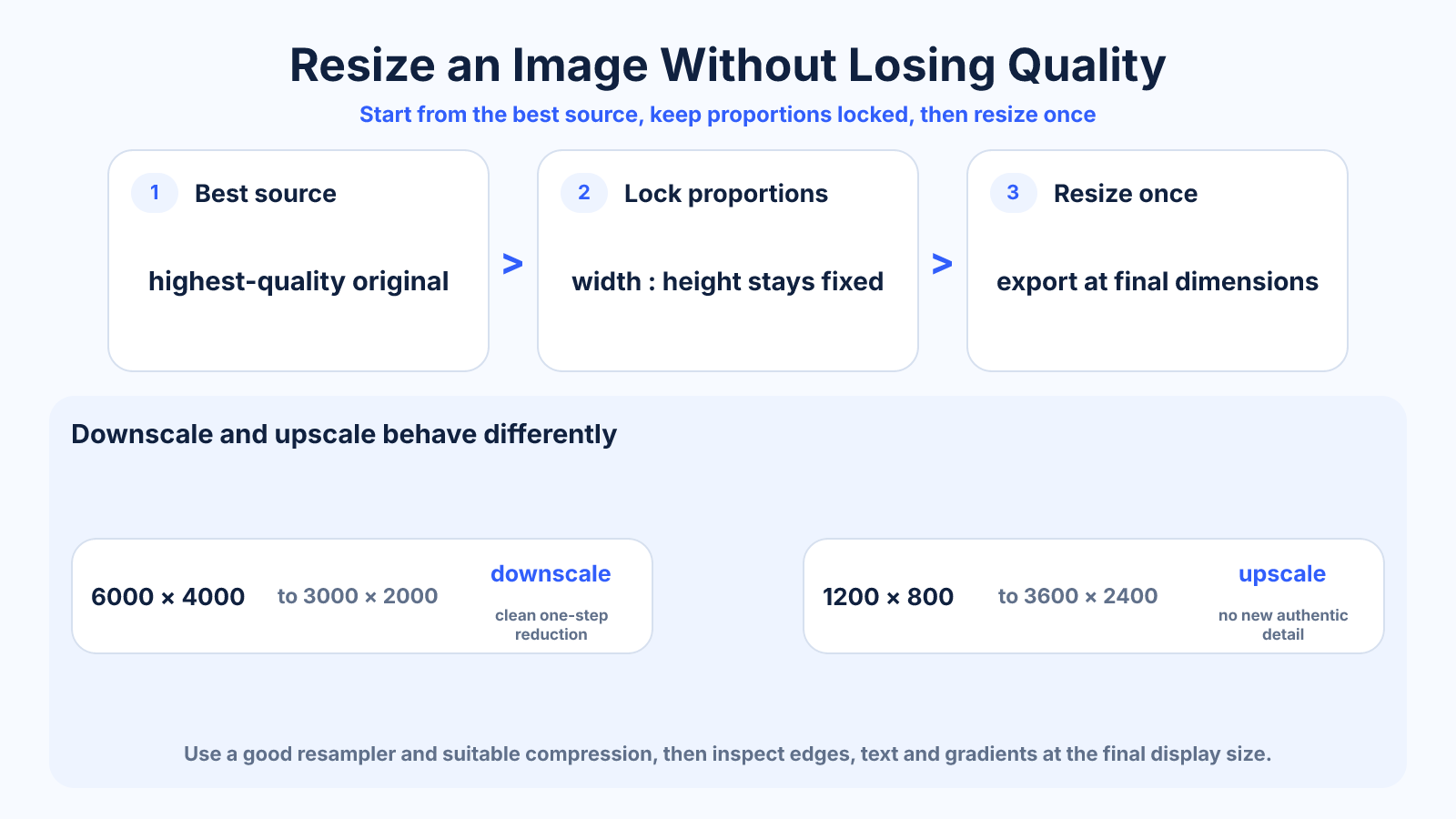
Downscale once from the best available source, keep width and height proportional, use a high-quality resampler and export with suitable compression. Enlarging cannot recreate missing source detail.
Use this guide when
Use this guide to plan a complete quality-conscious resize workflow, including resampling, export and inspection.
Choose a different guide when:
- To diagnose jagged or blocky enlargement, read How to Resize an Image Without Pixelation.
- To decide whether resizing is the correct operation, read Cropping vs Resizing an Image: What Actually Changes?.
What matters most
- Downscaling usually preserves perceived quality better than enlarging.
- Aspect-ratio locks prevent geometric distortion.
- Repeated JPEG saves accumulate compression damage.
How to apply it
- Start from the highest-quality original.
- Set the required output dimensions and lock proportions.
- Use a good bicubic or Lanczos-style downsampling method where available.
- Export once, then inspect edges, text and gradients at final display size.
Reference table
| Situation | Recommended action | Reason |
|---|---|---|
| Large source to small output | Downsample once | Combines detail cleanly |
| Small source to large output | Limit enlargement | No authentic detail is added |
| Logo or diagram | Prefer SVG if available | Vector edges scale cleanly |
| Photo delivery | Use suitable JPEG/WebP quality | Balances detail and bytes |
Use exact dimensions and units in production notes; familiar labels can describe more than one standard.
What ‘without losing quality’ realistically means
Every raster resize changes the pixel grid. Downscaling can preserve the appearance at the smaller final size, but it still discards source samples. Enlarging can make an image larger, yet no method can guarantee recovery of detail that the original never captured.
Define quality at the destination: required pixel size, viewing distance, text readability, edge cleanliness and acceptable file weight. A technically smaller image may look identical in its intended web card while loading faster than the original.
A reliable downscaling workflow
Begin with the highest-quality original and make one resize to the final dimensions. Keep the aspect-ratio lock enabled so width and height change proportionally. Use a high-quality resampling method designed for photographic reduction, then inspect the result at its actual display size.
Apply output sharpening only after the dimensions are final, and keep it subtle. Fine lines and text deserve separate inspection because they react differently from photographs. Save the master separately so future sizes are generated from the original instead of a previously compressed derivative.
Choose the right format and compression
JPEG is efficient for photographs but repeated lossy saves accumulate artifacts. PNG preserves sharp flat graphics and transparency but may be much larger for photos. WebP and AVIF can offer efficient web delivery when the workflow and browser support fit the project.
Compression and resizing are separate decisions. First establish the correct dimensions, then test quality settings against representative details. Compare files at the final viewing size and avoid selecting a quality number by habit; different encoders do not use identical scales.
Logos, text and image enlargement
For logos and illustrations, use an original vector file such as SVG when available. Vector shapes can be rendered at different sizes without raster pixelation. If only a small raster logo exists, request the source rather than relying on aggressive upscaling.
For photographic enlargement, a high-quality or AI-assisted method may create smoother edges and plausible texture, but inspect generated detail carefully. Faces, product labels and documentary evidence are sensitive because invented or altered features can be misleading.
Quality checklist before export
Confirm the exact destination dimensions, preserve the intended crop, check edge halos and compression blocks, and compare color with the original. Preview at 100 percent and at final layout size. A result can look sharp when zoomed out but contain distracting artifacts around text or high-contrast boundaries.
For web use, test the actual page on a phone and desktop and confirm that responsive markup does not download an oversized source unnecessarily. Good resizing preserves visual usefulness while reducing pixels, bytes and processing cost to what the placement genuinely needs.
Common mistakes to avoid
- Resizing a previously compressed social-media copy.
- Entering unrelated width and height values.
- Judging quality only while zoomed far beyond the final size.
Continue with the right tool
Use a calculator to check the numbers against your own source and destination instead of relying on a generic preset.
Related guides
How to Resize an Image Without Pixelation
Prevent blocky edges and soft detail by understanding source pixels, enlargement limits, resampling and final viewing size.
Image cropping and print preparationCropping vs Resizing an Image: What Actually Changes?
Understand how cropping and resizing affect composition, aspect ratio, pixel dimensions and quality so you can choose the correct operation.
Responsive images and displaysResponsive Images Explained: srcset, sizes and picture
Use responsive image markup correctly by separating resolution switching, layout width and art direction, with practical HTML examples.
Frequently asked questions
Does reducing dimensions reduce quality?
It removes pixels, but a careful downscale can look excellent at the smaller intended size.
Can I enlarge without any loss?
Not in the strict sense. Upscaling estimates new pixels; it cannot recover detail never captured.
Which format is best?
It depends: JPEG or WebP for photos, PNG for some lossless graphics, and SVG for vectors.
Sources and further reading
These references support the technical definitions and platform-specific guidance used above.
- Adobe: resizing imagesReference for image dimensions, resampling and preserving proportions.