
The short version
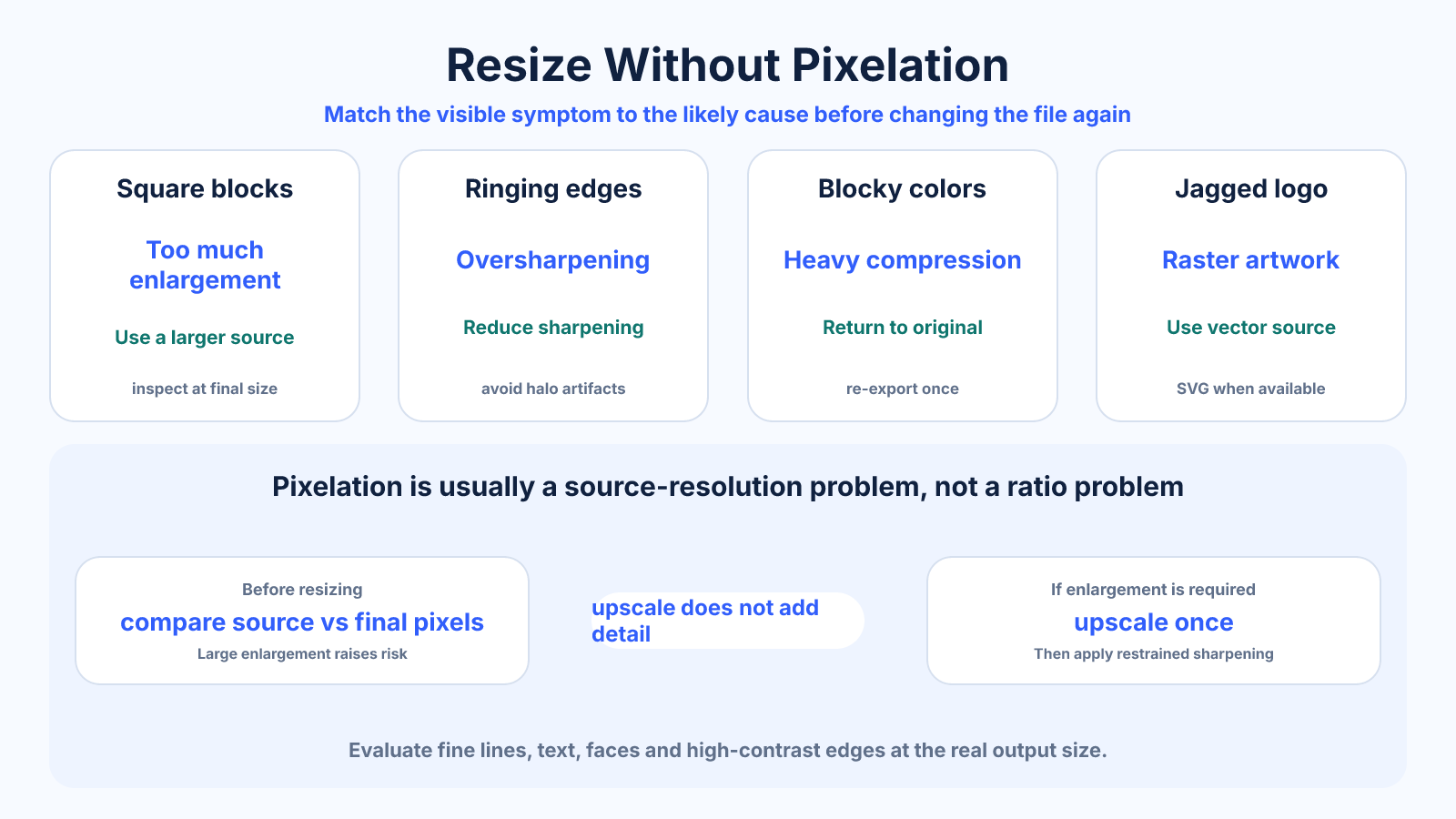
Pixelation occurs when too few source pixels are enlarged enough to become visible. Use a larger original, avoid excessive upscaling, preserve proportions and evaluate the image at its real output size.
Use this guide when
Use this guide when the specific problem is visible pixelation, especially during enlargement or low-resolution display.
Choose a different guide when:
- To plan the wider resize and export workflow, read How to Resize an Image Without Losing Quality.
- To evaluate a weak source for large-format print, read Can a Low-Resolution Image Make a Good Large Print?.
What matters most
- Pixelation and JPEG artifacts are different problems.
- Viewing distance changes how much resolution is needed.
- Vector artwork is preferable for logos and simple graphics that must scale.
How to apply it
- Determine the exact final pixel or print size.
- Compare it with the source dimensions before resizing.
- If enlargement is unavoidable, upscale once with a suitable method and apply restrained sharpening.
- Inspect fine lines, text, faces and high-contrast edges at final size.
Reference table
| Symptom | Likely cause | Better response |
|---|---|---|
| Visible square blocks | Too much enlargement | Use a larger source |
| Ringing around edges | Oversharpening | Reduce sharpening |
| Blocky color patches | Heavy compression | Return to the original |
| Jagged logo edges | Raster artwork | Use a vector source |
Use exact dimensions and units in production notes; familiar labels can describe more than one standard.
Why images become pixelated
Pixelation appears when individual raster samples become large enough to notice, commonly because a small image is displayed or printed too large. Nearest-neighbor scaling makes blocks especially obvious, while smoother interpolation can hide the blocks but may replace them with blur.
Not every ugly image is pixelated. JPEG blocking forms square artifacts from compression, motion blur smears detail, and sharpening creates halos. Identifying the defect matters because increasing dimensions does not repair heavy compression, missed focus or motion blur.
Calculate required pixels before resizing
For screens, determine the largest rendered pixel size and account for high-density delivery only where it adds visible benefit. For print, multiply intended inches by target PPI. These calculations reveal whether the source is already sufficient and how large the enlargement really is.
A 600-pixel-wide source enlarged to 2400 pixels is a four-times linear enlargement and creates sixteen times as many output pixels. That large number does not mean sixteen times more captured information. Use the smallest enlargement that satisfies the destination.
Interpolation and AI upscaling
Traditional interpolation estimates new pixel values from nearby samples. Bicubic and Lanczos-style methods can produce smooth photographic enlargements but cannot know missing fine detail. Light sharpening after resizing may improve perceived crispness, though too much emphasizes noise and ringing.
AI upscalers can generate plausible edges and textures. They are useful for presentation and creative work when reviewed carefully, but generated details may be inaccurate. Avoid treating enhanced text, faces, medical images or evidentiary material as faithful reconstruction.
Use the right source asset
Logos, icons, charts and type should come from vector originals whenever possible. SVG and other vector formats describe shapes rather than a fixed pixel grid, so they can be rendered cleanly at multiple sizes. Export a raster copy only at the final required dimensions.
For photos, return to the camera original instead of a thumbnail, messaging-app copy or screenshot. These derivatives may be both smaller and more compressed. A better source usually improves the result more than changing the resize algorithm.
Test the result at its real size
Inspect the enlarged file at 100 percent and in its actual layout. Check diagonal edges, hair, text, faces and repeating patterns. If artifacts remain, reduce the target size, increase viewing distance, use a better source or redesign the placement rather than applying endless sharpening.
Export once with suitable compression and keep the master. For web pages, provide responsive sizes so small devices do not download the enlargement intended for a large screen. Preventing pixelation should not create unnecessary file weight for every visitor.
Common mistakes to avoid
- Applying more sharpening to visible pixel blocks.
- Upscaling several times through different apps.
- Using a screenshot when the original asset exists.
Continue with the right tool
Use a calculator to check the numbers against your own source and destination instead of relying on a generic preset.
Related guides
Standard Photo Sizes: Print Dimensions, Ratios and Pixels
Compare common photo print sizes, their aspect ratios and pixel dimensions at 300 PPI before cropping or ordering prints.
Image cropping and print preparationCan a Low-Resolution Image Make a Good Large Print?
Evaluate whether a small image can work as a large print using supplied PPI, viewing distance, source quality, crop and proofing.
Images and photosHow to Resize an Image Without Losing Quality
Resize images cleanly by preserving aspect ratio, choosing an appropriate resampling method and avoiding unnecessary recompression.
Frequently asked questions
Does DPI stop pixelation?
No. Changing DPI metadata alone does not add pixels.
Can AI upscaling help?
It may create plausible detail, but generated detail is not the same as recovered source information.
Why does an image look fine on a phone but poor in print?
A small screen and longer effective viewing distance can hide limited resolution that becomes visible in a larger print.
Sources and further reading
These references support the technical definitions and platform-specific guidance used above.
- Adobe: resizing imagesReference for resampling methods and proportional resizing.