
The short version
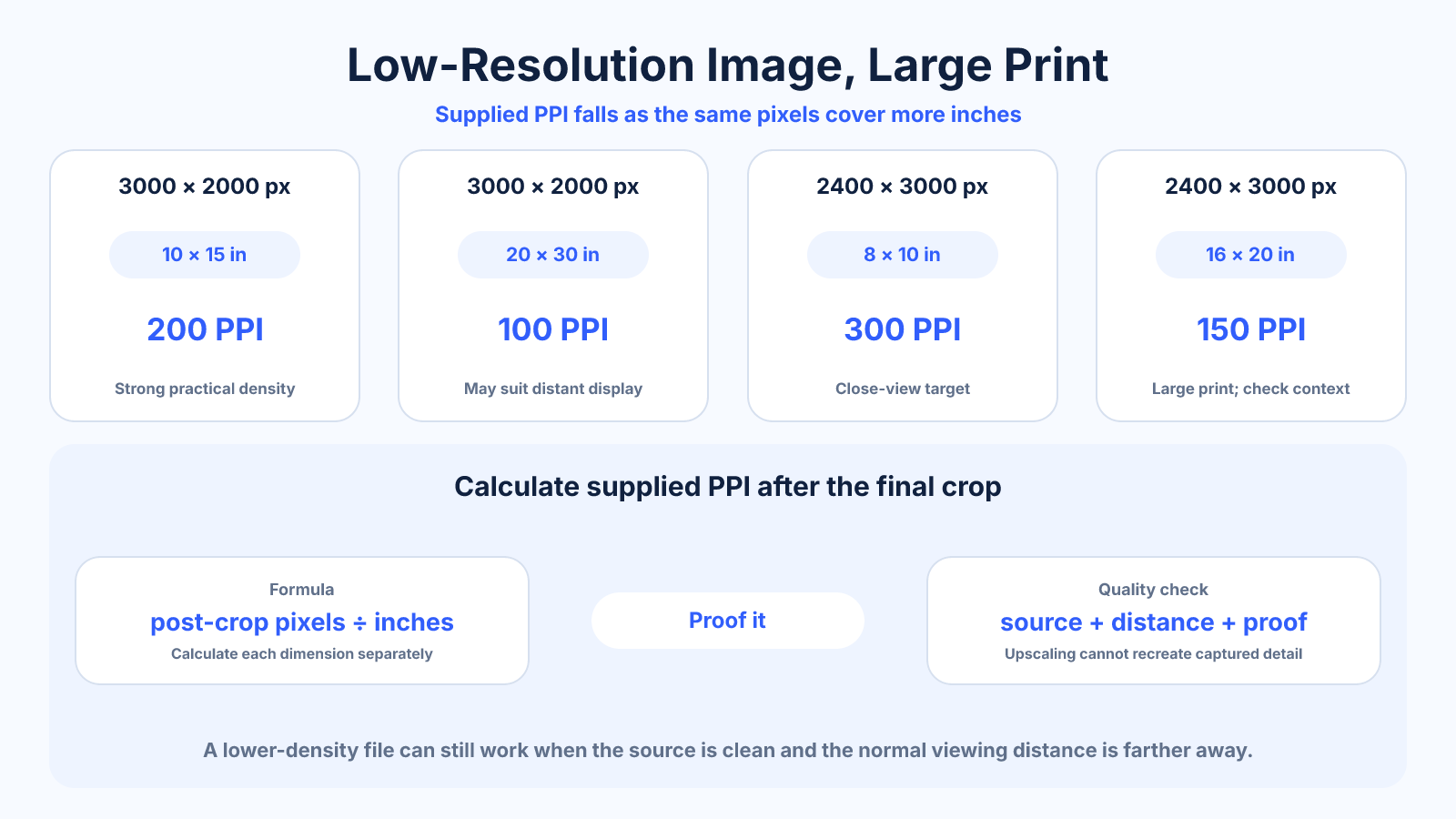
A lower-resolution image can make a satisfactory large print when it is sharp, needs little crop and is viewed from farther away. Calculate supplied PPI from post-crop pixels divided by print inches, inspect real detail and produce a physical-size proof before relying on upscaling.
What matters most
- Viewing distance can matter more than a universal 300-PPI target.
- Upscaling changes raster dimensions but not captured detail.
- A clean source often enlarges better than a noisy or compressed one.
How to apply it
- Find the highest-quality original and remove no pixels unnecessarily.
- Choose final crop and calculate remaining width and height.
- Divide pixels by print inches to find supplied PPI.
- Evaluate sharpness, noise, compression and expected viewing distance.
- Test restrained upscaling/sharpening and print a physical-size section.
Reference table
| Source | Supplied PPI | Interpretation | |
|---|---|---|---|
| 3000 × 2000 | 10×15 in | 200 | Strong practical density |
| 3000 × 2000 | 20×30 in | 100 | May suit distant display |
| 2400 × 3000 | 8×10 in | 300 | Close-view target |
| 2400 × 3000 | 16×20 in | 150 | Large print with context check |
Use exact dimensions and units in production notes; familiar labels can describe more than one standard.
Find the best source before enlarging
Request the camera original, raw export or highest-quality saved file. Messaging apps, social platforms and website thumbnails often reduce dimensions and add compression. Enlarging those derivatives magnifies damage that may not exist in the master.
Complete noise reduction, lens correction and crop before final enlargement, but keep the workflow editable. Avoid repeated JPEG saves. A small clean file with genuine edge detail is a better starting point than a nominally larger file full of artifacts.
- Trace the file back to its source.
- Avoid downloaded platform copies.
- Preserve a nondestructive master.
Calculate supplied PPI after crop
A 3000 × 2000 file printed at 30 × 20 inches supplies 100 pixels per inch. If a square crop leaves 2000 × 2000 and the print is 20 × 20, it still supplies 100 PPI; the original 6 MP label no longer describes the crop.
Calculate width and height separately. Use the limiting dimension and include any bleed canvas. This exposes whether changing composition could preserve more useful pixels than aggressive enlargement.
- Use post-crop pixels.
- Divide each dimension by matching inches.
- Include printer bleed where required.
Judge detail from realistic viewing distance
Large wall graphics are often viewed across a room, reducing the visual impact of individual pixels. Photographic books and gallery prints invite close inspection. Fine text, line art and high-frequency texture reveal limited resolution more readily than soft atmospheric imagery.
Define the closest normal viewer position, not only the average. Inspect a physical-size crop containing the most demanding detail. This is more informative than zooming the full poster to fit a laptop screen.
- Consider subject type.
- Define closest realistic distance.
- Proof the hardest region.
Use upscaling and sharpening honestly
Interpolation is required when a printer needs more samples than the source provides. Modern methods can produce smoother edges and plausible texture, but they cannot know every original detail. Review faces, text, repeating patterns and factual product features for invented artifacts.
Apply output sharpening after resizing and judge the print proof. Stop when halos, crunchy texture or noise become more visible. Describe the result as upscaled rather than implying the new pixel count was captured by the camera.
Common mistakes to avoid
- Changing metadata to 300 DPI and assuming detail improved.
- Using a web thumbnail when an original exists.
- Sharpening compression blocks and halos.
- Evaluating the whole print only as a small screen preview.
Continue with the right tool
Use a calculator to check the numbers against your own source and destination instead of relying on a generic preset.
Related guides
How Many Megapixels Do You Need for a Print?
Calculate megapixels for print dimensions and PPI while accounting for aspect-ratio crop, source detail and viewing distance.
Image cropping and print preparationPoster Resolution: Choosing DPI by Size and Viewing Distance
Choose realistic poster pixel dimensions by physical size, viewing distance, source detail and printer requirements instead of one fixed DPI rule.
Image cropping and print preparationCropping vs Resizing an Image: What Actually Changes?
Understand how cropping and resizing affect composition, aspect ratio, pixel dimensions and quality so you can choose the correct operation.
Frequently asked questions
What PPI is too low?
There is no single cutoff; print process, subject and viewing distance determine acceptability.
Does AI upscaling create real detail?
It estimates plausible pixels and may improve appearance, but generated texture is not recovered factual capture.
Should I add sharpening?
Output sharpening can help after resizing, but excessive settings emphasize noise and halos.
How do I test without printing the whole piece?
Print a detailed section at final physical scale and view it from the intended distance.