
The short version
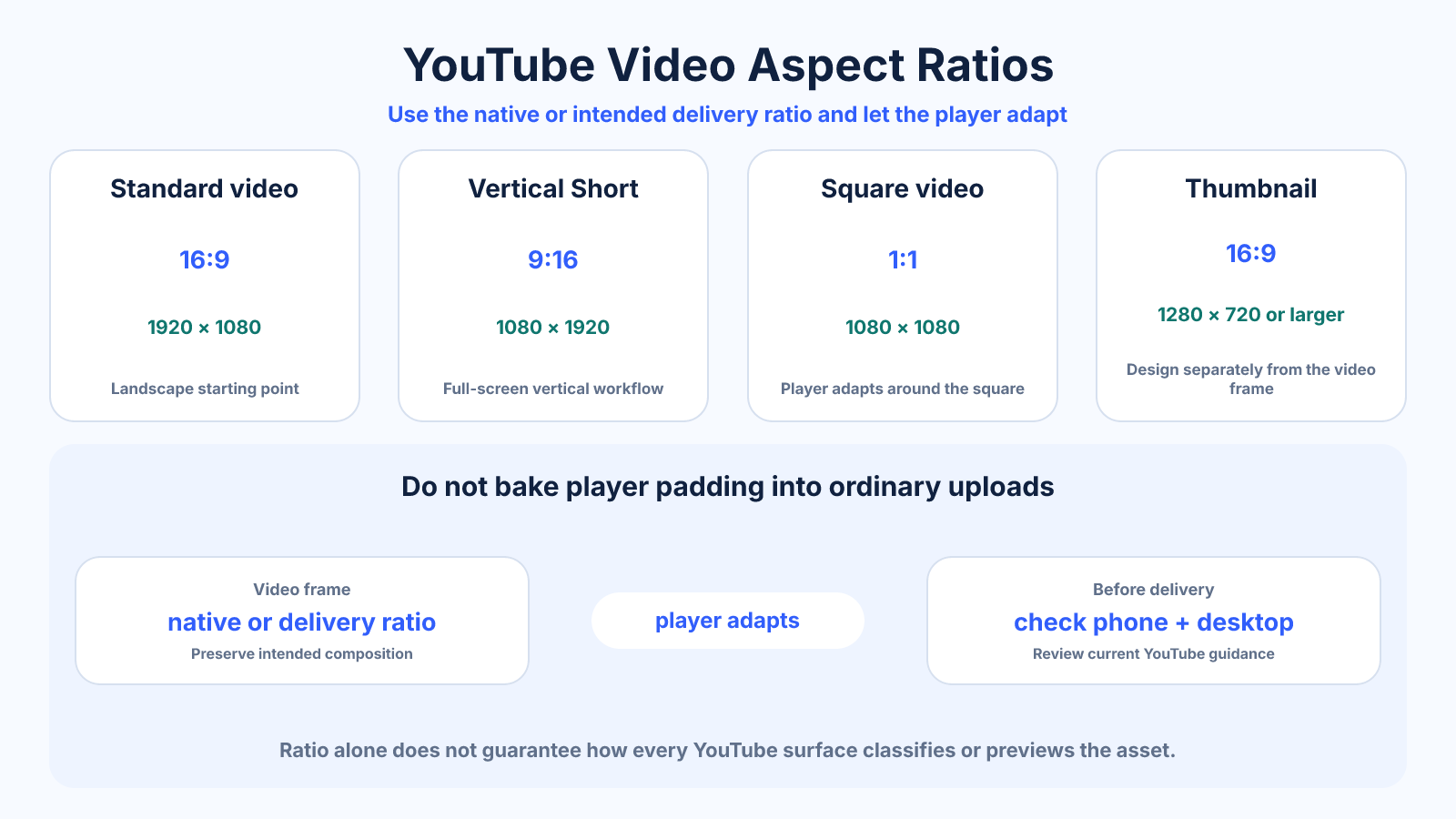
Use the video's native ratio and avoid baking padding into ordinary uploads. A 16:9 canvas is the standard starting point for landscape video, while 9:16 is the practical full-screen format for vertical Shorts. Thumbnails are designed separately in 16:9.
What matters most
- Standard video, Shorts and thumbnails are different assets.
- YouTube's player adapts to the uploaded ratio, so embedded black bars are usually unnecessary.
- Shape, duration and upload context can affect Shorts classification.
How to apply it
- Choose whether the primary experience is standard video or vertical Shorts.
- Edit in the source or destination ratio without pre-rendered player bars.
- Create the thumbnail as a separate 16:9 composition.
- Check titles, subtitles and graphics on both phone and desktop views.
- Review current YouTube Help guidance before a high-value delivery.
Reference table
| Asset | Practical ratio | Example size | Key concern |
|---|---|---|---|
| Standard video | 16:9 | 1920 × 1080 | Do not bake in bars |
| Vertical Short | 9:16 | 1080 × 1920 | Keep clear of controls |
| Square video | 1:1 | 1080 × 1080 | Player adapts |
| Thumbnail | 16:9 | 1280 × 720 or larger | Readable at small size |
Use exact dimensions and units in production notes; familiar labels can describe more than one standard.
Let the YouTube player handle the frame
YouTube's player changes its presentation around the native uploaded ratio. A standard 16:9 video fills the familiar widescreen player; a square or vertical video can be displayed with player-controlled space around it. Encoding black or colored bars into the picture makes those pixels permanent and can cause double padding on another screen.
Export the active image at its real dimensions. If archival footage already contains bars, determine whether they are part of the original master or an earlier conversion. Removing baked bars requires cropping and possibly resizing, so preserve a clean master before making delivery versions.
- Upload native pixels without decorative player bars.
- Keep archival masters separate from delivery conversions.
- Test embeds as well as the watch page when they matter.
Separate Shorts from standard-video planning
A vertical Short is composed for a phone-first, swipe-based interface with controls layered over the image. A standard video may be watched on phones, desktops or televisions and often benefits from wider composition. Reusing one edit is possible, but it rarely replaces a thoughtful reframe.
Eligibility rules can include more than dimensions. Duration, upload date and product changes matter, so dimensions should be described as creative guidance rather than a promise of classification. Confirm the current official documentation before building an automated publishing workflow.
- Use 9:16 for intentional full-screen Shorts.
- Use 16:9 for conventional landscape programs.
- Do not infer eligibility from resolution alone.
Design thumbnails as independent assets
A thumbnail must communicate at a small size and across recommendation surfaces. Use a 16:9 canvas, simple contrast, a clear focal subject and limited text. Do not merely capture a random frame from a vertical video and place it in the center of a wide blank image.
Preview the thumbnail at the size it appears in search and recommendations. Protect the lower-right area from the duration badge and check that mobile cropping or surrounding interface does not weaken the visual hierarchy. Keep the editable thumbnail file separate from the video timeline.
- Use one dominant idea.
- Judge text at small preview size.
- Keep critical details away from badges and edges.
Verify the upload rather than only the export
After processing completes, inspect the reported quality options and several moments with motion or fine detail. A correct 1920 × 1080 file can still look poor because of an unsuitable bitrate, noisy source or repeated compression. Wait for higher-resolution processing before judging a new upload.
Review captions, chapter graphics, end screens and cards within the final player. For Shorts, inspect the interactive mobile view. Keep a record of the source ratio, export resolution, frame rate and codec so a failed delivery can be diagnosed instead of re-exported blindly.
Common mistakes to avoid
- Treating the thumbnail as a frame that must match vertical video.
- Adding black bars to force a 16:9 file.
- Assuming every vertical upload is classified identically regardless of duration and date.
- Placing important text under the Shorts action controls.
Continue with the right tool
Use a calculator to check the numbers against your own source and destination instead of relying on a generic preset.
Related guides
Why Your Video Has Black Bars and How to Fix Them
Diagnose letterboxing, pillarboxing and baked-in bars, then choose crop, fit or native-ratio delivery without distorting video.
Video framing and deliveryHow to Convert Video Aspect Ratio Without Stretching
Convert a video to a new aspect ratio using crop, padding or reframing while preserving natural proportions and export quality.
Video framing and deliveryHow to Turn a Horizontal Video into Vertical Video
Reframe landscape footage for a vertical 9:16 canvas using crop, split layouts, backgrounds and shot-by-shot composition.
Frequently asked questions
Does YouTube require 16:9?
No. The player adapts to other native aspect ratios, although 16:9 remains the standard landscape format.
What ratio should YouTube Shorts use?
9:16 is the practical full-screen vertical choice, commonly exported at 1080 × 1920.
Should a Short thumbnail be 9:16?
Thumbnail behavior and selection can vary by surface. Design and inspect the exact thumbnail or cover workflow rather than assuming it matches the video frame.
Will YouTube remove black bars?
Bars encoded inside the image remain part of the video. Upload the native frame and let the player supply necessary padding.
Sources and further reading
These references support the technical definitions and platform-specific guidance used above.
- YouTube Help — video resolution and aspect ratiosOfficial explanation of player adaptation and avoiding baked padding.
- YouTube Help — three-minute ShortsCurrent classification guidance for eligible Short uploads.