
The short version
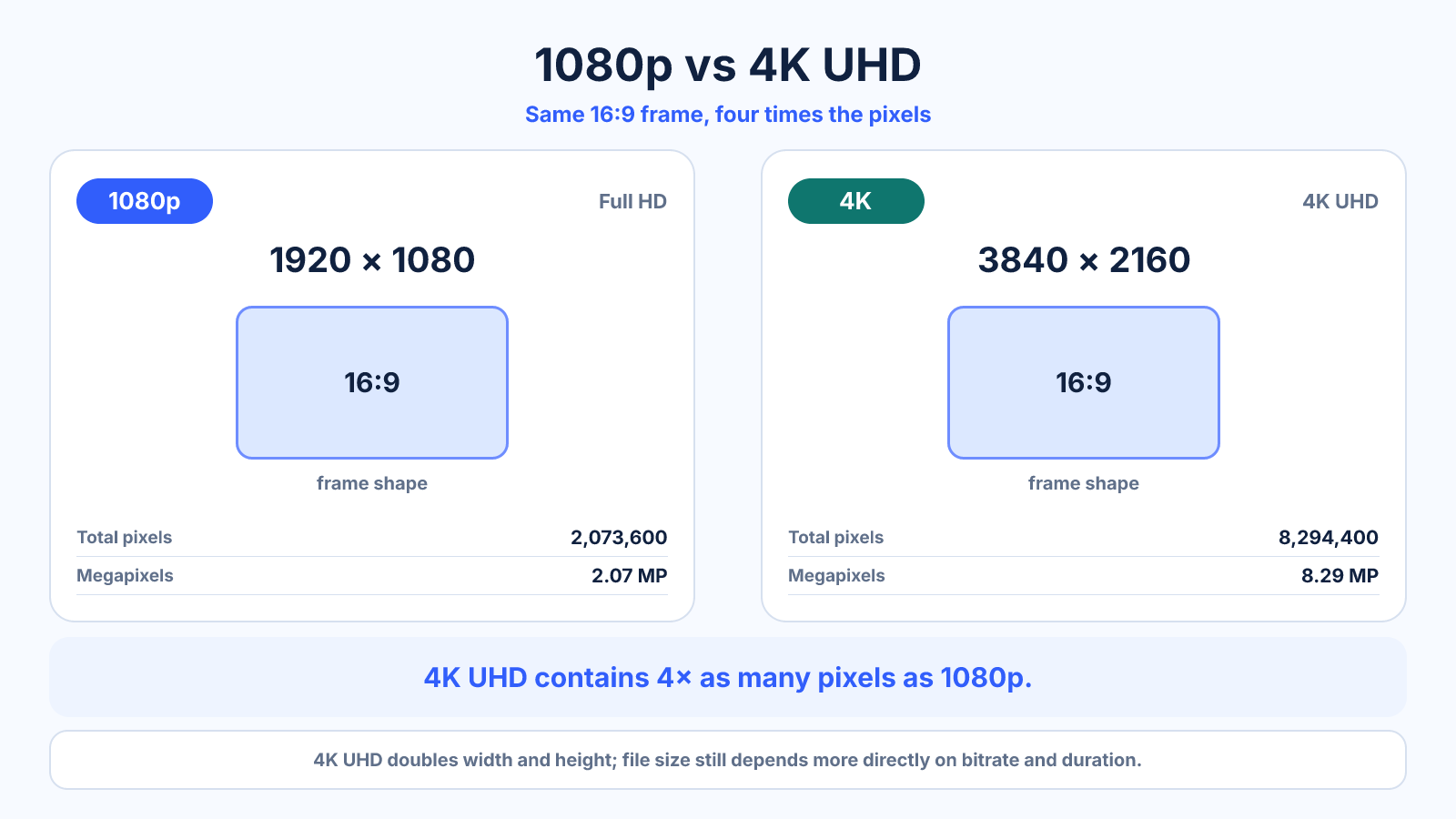
4K UHD is 3840 × 2160 and contains four times the pixels of 1920 × 1080 Full HD. The visible benefit depends on screen size, viewing distance, source detail and compression.
What matters most
- Both consumer formats use a 16:9 frame.
- 4K provides more crop and stabilization room in a 1080p project.
- 1080p is lighter to edit, transfer and store.
How to apply it
- Check whether the source is truly detailed enough for 4K.
- Consider the final screen size and viewing distance.
- Budget storage, bitrate and editing performance.
- Compare representative test exports on the actual viewing device.
Reference table
| Property | 1080p | 4K UHD |
|---|---|---|
| Dimensions | 1920 × 1080 | 3840 × 2160 |
| Pixels/frame | 2.07 MP | 8.29 MP |
| Relative pixels | 1× | 4× |
| Typical workload | Lighter | Heavier |
Use exact dimensions and units in production notes; familiar labels can describe more than one standard.
When is the difference between 1080p and 4K visible?
4K UHD doubles each dimension of 1080p and therefore contains four times as many pixels. That advantage is easiest to see with a detailed native 4K source, a sufficiently large display and a close enough viewing position. On a small screen, at long distance or with heavily compressed video, the difference can be subtle.
Resolution is only one part of image quality. Contrast, color accuracy, motion handling, dynamic range, compression and source focus can matter more than the pixel count. A well-mastered 1080p video may look better than a noisy or aggressively compressed 4K version.
1080p vs 4K for gaming
Rendering 4K means shading about 8.29 million pixels per frame instead of 2.07 million. The real frame-rate impact varies by game, graphics settings, GPU and upscaling method, so pixel count is a workload indicator rather than a guaranteed performance ratio.
Choose 1080p when high refresh rate and lower hardware cost are the priority. Choose 4K when fine detail, large-screen use and image quality matter more and the system can sustain the desired frame rate. Test the actual games you play; competitive and cinematic titles often favor different compromises.
Recording 4K for a 1080p delivery
A 4K source gives a 1080p timeline room for a two-times linear crop before reaching the final pixel dimensions. That can help with reframing, digital stabilization and producing more than one composition. The benefit disappears when the source is soft, out of focus or badly compressed.
4K footage also increases storage, transfer time, decode load and export time. Proxy editing can keep the workflow responsive while final export uses the original media. Keep frame rate, bit depth, chroma sampling and codec in the decision; two 4K files can have very different editing costs and quality.
Streaming, bitrate and file-size tradeoffs
A 4K stream generally needs more bitrate than 1080p to preserve its additional detail, although modern codecs can reduce the gap. Network stability and platform re-encoding can determine what viewers actually receive. If most viewers use phones or limited connections, a strong 1080p master may deliver a more consistent experience.
For upload platforms, use current official guidance rather than a fixed universal bitrate. YouTube's published H.264 SDR upload recommendations, for example, vary by resolution and frame rate. Estimate storage from duration and bitrate, then make a short test export with representative motion, texture and gradients.
Which should you choose?
Choose 1080p for lightweight editing, long recordings, modest screens, high-frame-rate gaming on limited hardware or bandwidth-sensitive delivery. Choose 4K for large displays, close viewing, detailed text, archival masters or projects that need crop and stabilization flexibility.
If uncertain, test the entire path: capture, edit, export, upload and view on the intended device. A specification comparison cannot reveal whether the camera resolves true 4K detail, the computer edits it smoothly, or the platform compresses away the visible advantage.
Common mistakes to avoid
- Confusing 4K UHD with DCI 4096 × 2160.
- Using the same low bitrate for both resolutions.
- Expecting 4K export to restore detail from a soft 1080p source.
Continue with the right tool
Use a calculator to check the numbers against your own source and destination instead of relying on a generic preset.
Related guides
2K vs 4K Resolution: Cinema Standards and Monitor Labels
Compare true DCI 2K and 4K with the looser 1440p and UHD marketing labels commonly used for monitors and video.
Video compression and file sizeVideo Resolution vs Bitrate: Which One Controls Quality?
Learn how resolution and bitrate interact, why neither guarantees quality, and how to choose a balanced export for real content.
Video quality and delivery720p vs 1080p: Resolution, Pixel Count and File Size
Compare 1280×720 and 1920×1080 video, including pixel count, scaling, bandwidth and when each resolution makes sense.
Frequently asked questions
Can viewers see the difference?
Often on larger or closer displays with a detailed source; less so on small or distant screens.
Is 4K four times sharper?
It has four times the pixels, but perceived sharpness does not increase by a simple fourfold amount.
Should I shoot 4K for a 1080p delivery?
It can help with cropping and stabilization, provided storage and processing costs are acceptable.
Sources and further reading
These references support the technical definitions and platform-specific guidance used above.
- YouTube recommended upload encoding settingsCurrent platform-specific bitrate and encoding guidance for 1080p and 2160p uploads.