
The short version
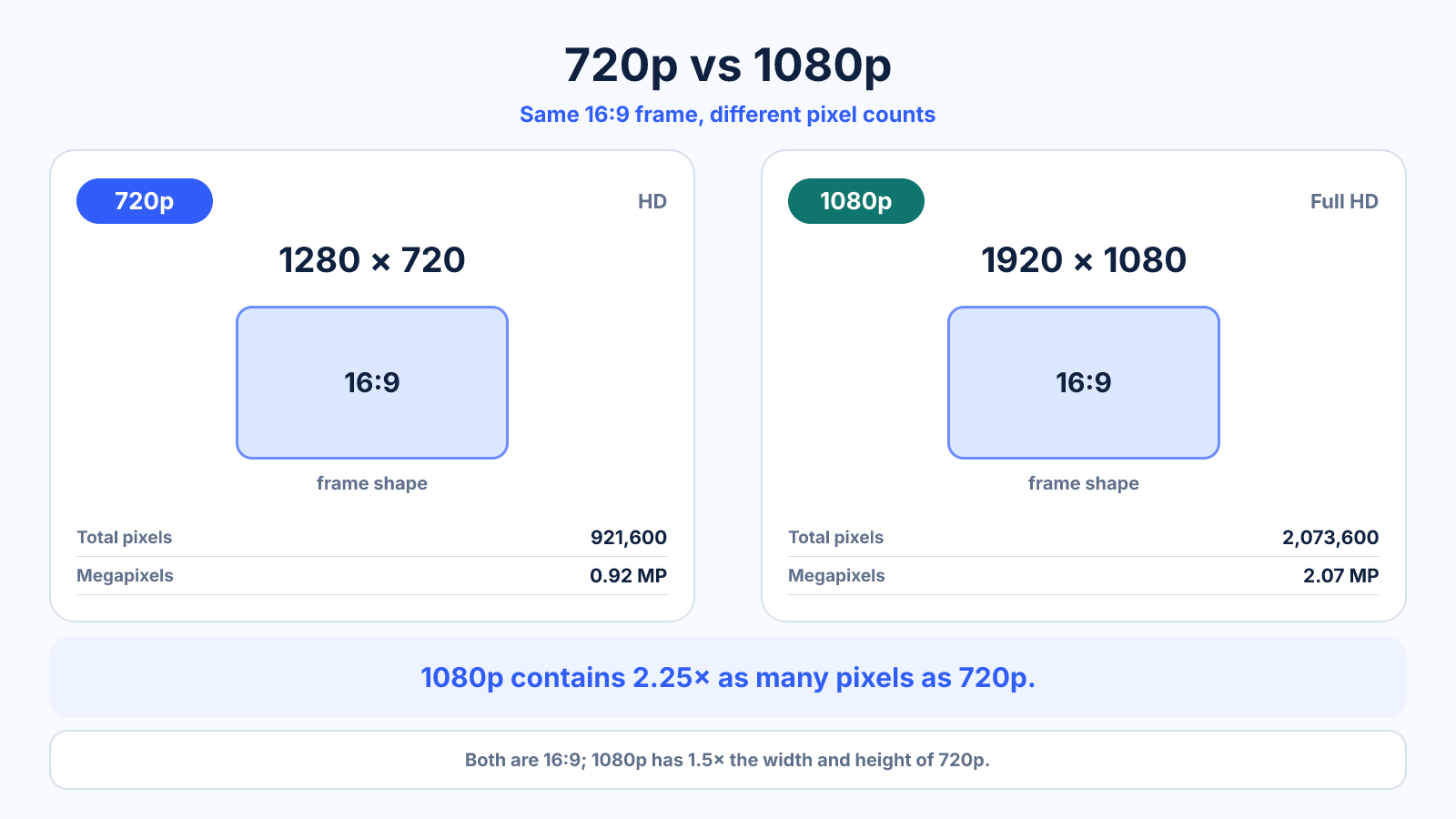
1080p has 1920 × 1080 pixels, or 2.25 times the pixels per frame of 1280 × 720. It can preserve more detail but usually needs more bitrate, storage and processing.
What matters most
- Both standard frames are exactly 16:9.
- A higher pixel count helps only when source, bitrate and display reveal it.
- 720p remains useful for previews, low bandwidth and small displays.
How to apply it
- Check the source resolution and destination minimum.
- Consider display size and expected viewing distance.
- Run short test encodes at realistic bitrates.
- Compare motion, text and fine texture at normal playback size.
Reference table
| Property | 720p | 1080p |
|---|---|---|
| Dimensions | 1280 × 720 | 1920 × 1080 |
| Pixels/frame | 921,600 | 2,073,600 |
| Ratio | 16:9 | 16:9 |
| Relative pixels | 1× | 2.25× |
Use exact dimensions and units in production notes; familiar labels can describe more than one standard.
720p and 1080p pixel count compared
720p normally means 1280 x 720 pixels, while 1080p means 1920 x 1080. Both use a 16:9 frame. Full HD contains 2,073,600 pixels per frame versus 921,600 for HD, so 1080p has 2.25 times as many pixels rather than merely 50 percent more.
The letter p means progressive scan: each video frame contains all lines in sequence. It distinguishes these formats from older interlaced labels such as 1080i. Pixel count describes the grid, but codec, bitrate, source quality and display scaling still affect the visible result.
When can you see the difference?
The advantage of 1080p becomes easier to see on a larger screen, at a shorter viewing distance and with fine source detail. On a small phone or distant television, the difference may be modest. A projector can make the lower pixel count more noticeable because the image is enlarged across a wide surface.
Compression can reverse expectations. A high-bitrate 720p stream may preserve motion and texture better than a starved 1080p stream. Compare representative movement, hair, foliage, text and gradients rather than assuming the higher resolution automatically wins.
720p vs 1080p for webcams and streaming
For a small webcam window, lighting, focus and microphone quality often matter more than the jump to 1080p. Full HD becomes more useful when the camera fills the frame, documents must be readable or viewers watch on larger displays. Confirm that the camera delivers its claimed resolution at the required frame rate.
For live streaming, reliable upload bandwidth is more valuable than an unstable resolution. Leave headroom for network variation and other traffic. A consistent 720p feed with appropriate bitrate can be preferable to 1080p that drops frames or repeatedly changes quality.
Which resolution should you choose?
Choose 720p when bandwidth, storage, processing power or long recording time is the primary constraint, or when the output will remain small. Choose 1080p for general modern delivery, readable screen captures, larger displays and a better-quality master when resources allow.
Do not upscale a soft 720p source and label it native 1080p. The container becomes larger without gaining captured detail. If both versions are needed, keep the highest-quality original and create the smaller delivery from it in one controlled export.
Common mistakes to avoid
- Assuming 1080p is automatically clearer at any bitrate.
- Comparing different codecs or frame rates as if resolution were the only change.
- Upscaling 720p and calling it native 1080p.
Continue with the right tool
Use a calculator to check the numbers against your own source and destination instead of relying on a generic preset.
Related guides
1080p vs 4K: Pixels, Viewing Distance and Real-World Tradeoffs
Compare Full HD and 4K UHD by pixel count, display conditions, editing load, bitrate and storage before choosing a format.
Video quality and delivery2K vs 4K Resolution: Cinema Standards and Monitor Labels
Compare true DCI 2K and 4K with the looser 1440p and UHD marketing labels commonly used for monitors and video.
Video quality and deliveryHow to Calculate Video File Size from Bitrate and Duration
Estimate video storage from total bitrate and running time, with worked examples and the difference between decimal MB and binary MiB.
Frequently asked questions
Is 1080p twice the resolution of 720p?
Its dimensions are 1.5 times larger on each axis, resulting in 2.25 times as many pixels.
Does 720p use less data?
It can, but actual file size is controlled mainly by bitrate and duration.
Which is better for web video?
1080p is a strong general default when the source and bandwidth support it; 720p is efficient for lighter delivery.
Sources and further reading
These references support the technical definitions and platform-specific guidance used above.
- YouTube live encoder settingsCurrent resolution, frame-rate and bitrate guidance for live streams.