
The short version
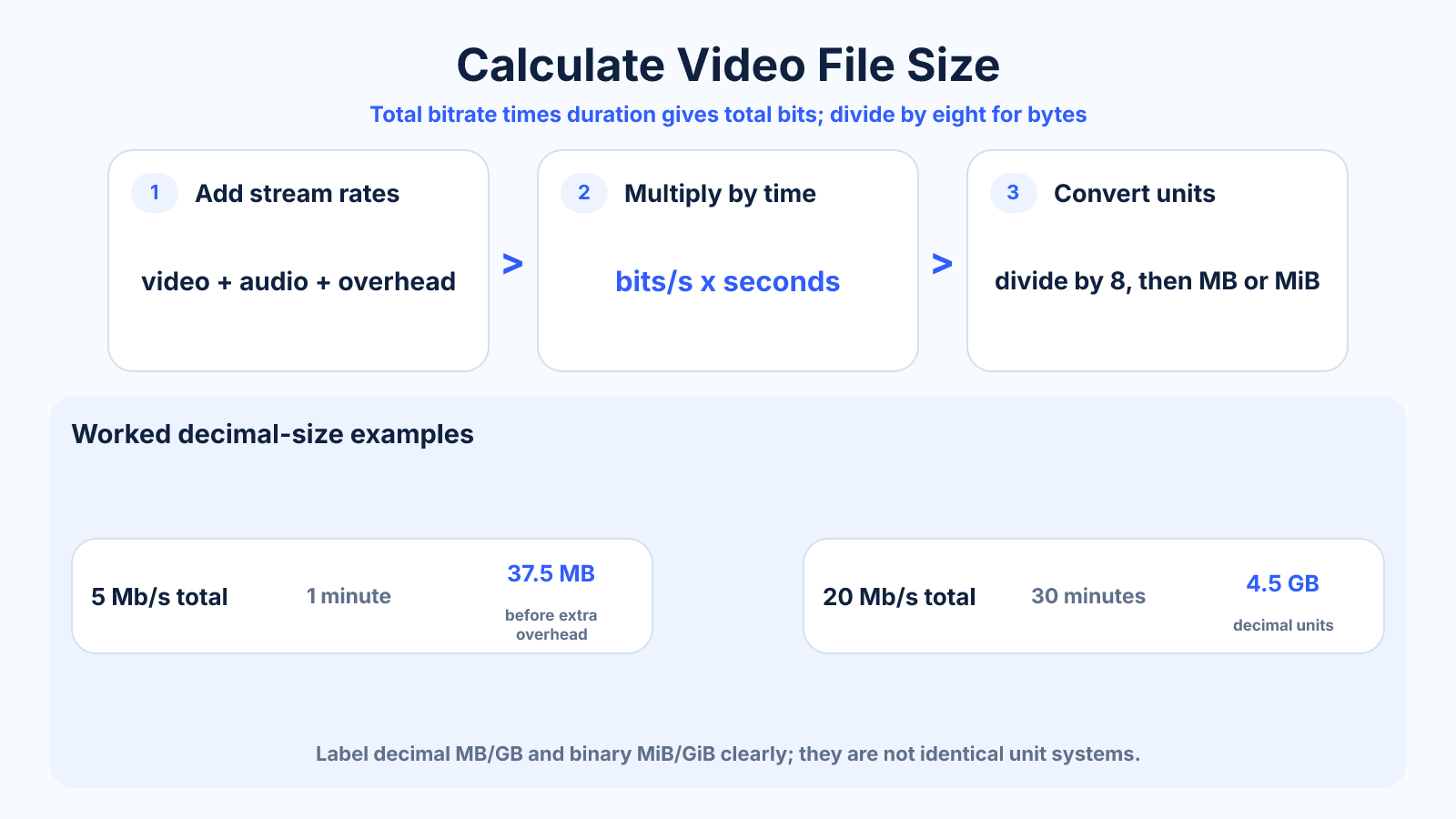
Multiply total bitrate in bits per second by duration in seconds, then divide by eight to convert bits to bytes. Add video and audio bitrates before calculating.
Use this guide when
Use this guide when duration and bitrate are known and you want to estimate the resulting file size.
Choose a different guide when:
- To start from a fixed file-size limit, read How to Choose a Bitrate for a Target Video File Size.
- To start from available storage, read How to Calculate Video Recording Time from Storage and Bitrate.
What matters most
- Bitrate and duration determine an encoded file estimate more directly than resolution.
- Variable bitrate makes the result an estimate until encoding finishes.
- MB and MiB use different unit systems.
How to apply it
- Add video, audio and any relevant overhead bitrates.
- Convert duration to seconds.
- Multiply bitrate by seconds and divide by eight.
- Convert bytes to MB using 1,000,000 or MiB using 1,048,576, and label the result clearly.
Reference table
| Total bitrate | Duration | Approximate decimal size |
|---|---|---|
| 5 Mb/s | 1 minute | 37.5 MB |
| 10 Mb/s | 10 minutes | 750 MB |
| 20 Mb/s | 30 minutes | 4.5 GB |
| 50 Mb/s | 60 minutes | 22.5 GB |
Use exact dimensions and units in production notes; familiar labels can describe more than one standard.
The video file-size formula
Estimated bytes equal total bitrate in bits per second multiplied by duration in seconds, divided by eight. Add video and audio bitrates before calculating. For megabytes, divide bytes by 1,000,000 for decimal MB or by 1,048,576 for binary MiB.
A 10-minute video at 8 Mbps video plus 192 Kbps audio uses 8.192 Mbps total. Multiplying by 600 seconds and dividing by eight gives about 614.4 decimal MB before container overhead.
Avoid Mbps, MB/s, GB and GiB mistakes
A lowercase b means bits, while uppercase B means bytes. Eight bits equal one byte, so an 8 Mbps stream is approximately 1 MB per second before overhead. Confusing these units produces an eight-times error.
Storage vendors commonly use decimal gigabytes, while operating systems may display binary gibibytes. State which unit the estimate uses when capacity is tight. A small difference becomes significant across long recordings or large archives.
Constant and variable bitrate estimates
Constant bitrate makes planning straightforward because the stream stays near one target. Variable bitrate allocates more data to difficult scenes and less to simple ones, so final size depends on achieved average bitrate rather than the maximum value.
For VBR, use an expected average for the estimate and keep a safety margin. If the encoder uses quality-based mode with no predictable average, create a short representative test containing motion, texture, noise and quiet scenes, then extrapolate cautiously.
How codec and resolution affect file size
Resolution does not directly determine bytes. At the same total bitrate and duration, 1080p and 4K files are approximately the same size, although the 4K version may show more compression because the data is spread across more pixels.
A more efficient codec can achieve similar visual quality at a lower bitrate, but encoding time and playback compatibility may change. Frame rate, bit depth, chroma sampling, noise and scene complexity also influence the bitrate needed for acceptable quality.
Plan recording and delivery storage
Include audio, container overhead, proxy files, render cache, exports and backups—not only the camera originals. For continuous recording, calculate size per hour and per day, then add retention time and redundancy.
Leave free capacity for filesystem behavior and unexpected bitrate peaks. Verify the estimate with a real sample from the target device because advertised settings may use variable bitrate or include several simultaneous streams.
Common mistakes to avoid
- Forgetting that bitrate is measured in bits while file size is usually bytes.
- Leaving audio bitrate out of the total.
- Assuming resolution alone predicts file size.
Continue with the right tool
Use a calculator to check the numbers against your own source and destination instead of relying on a generic preset.
Related guides
Video Resolution Chart: SD, HD, Full HD, 2K, 4K and 8K
Compare common video resolutions, pixel counts, aspect ratios and practical uses without confusing consumer UHD and cinema formats.
Video quality and deliveryHow to Reduce Video File Size Without Visible Quality Loss
Make video files smaller by choosing an efficient codec, sensible bitrate, resolution and audio settings while protecting visible detail.
Video framing and deliveryHow to Choose a Bitrate for a Target Video File Size
Calculate a safe video bitrate from duration and target file size while reserving space for audio, container overhead and variation.
Frequently asked questions
Why is the final file different from the estimate?
Variable bitrate, container overhead and encoder behavior change the actual total.
Does frame rate affect size?
It influences how much bitrate may be needed for a quality target, but bitrate remains the direct size input.
How many bits are in a byte?
Eight bits equal one byte.