
The short version
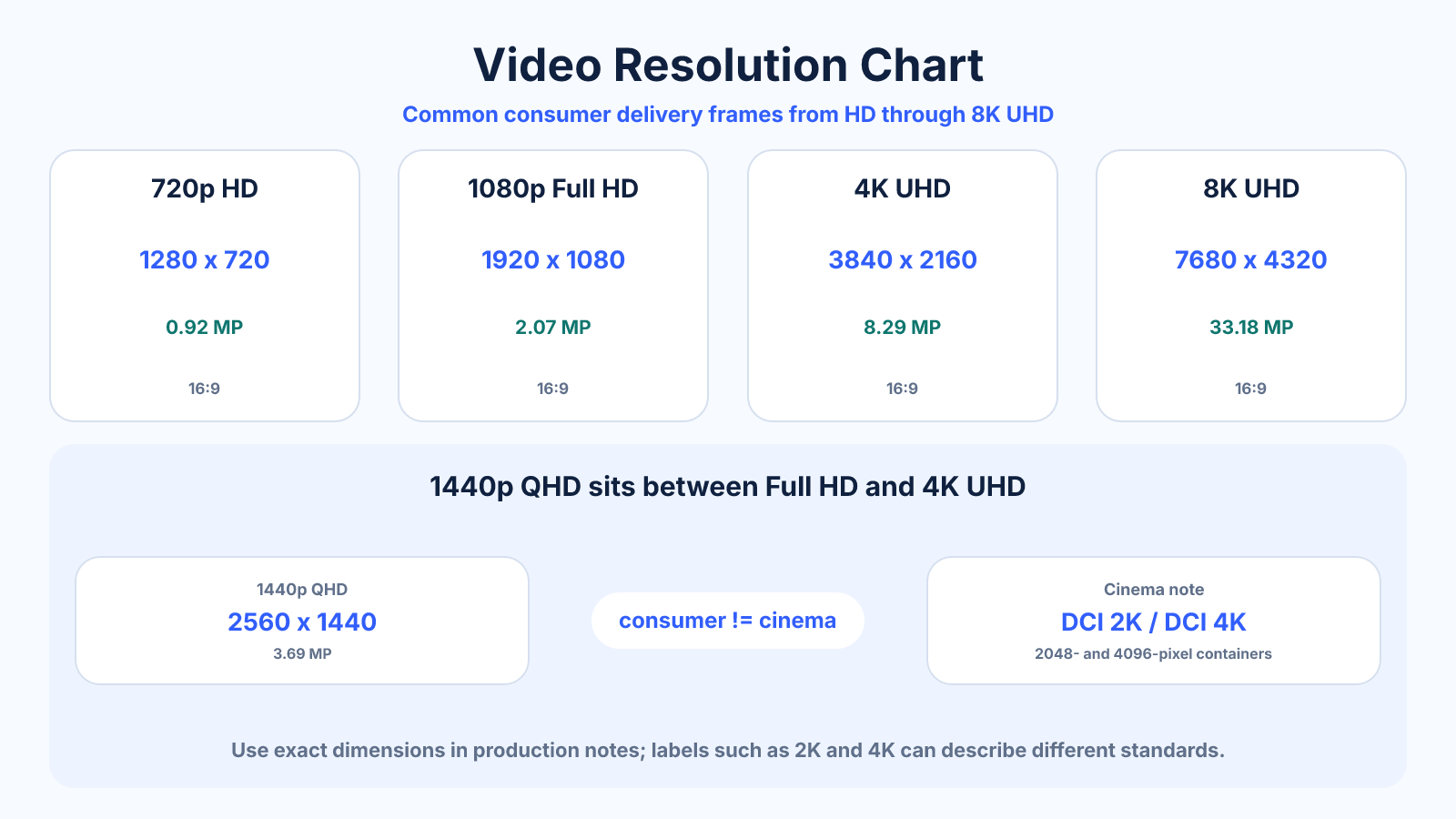
Common delivery frames include 1280 × 720 for 720p, 1920 × 1080 for Full HD, 2560 × 1440 for 1440p and 3840 × 2160 for 4K UHD. Cinema 2K and 4K use wider 2048 and 4096 pixel containers.
What matters most
- The p label normally refers to vertical pixels for progressive video.
- 4K UHD and DCI 4K are not the same dimensions.
- Resolution alone does not determine quality; bitrate, codec and source matter.
How to apply it
- Choose a resolution supported by the destination.
- Match the intended aspect ratio and frame rate.
- Set bitrate according to motion, codec and quality target.
- Review the encoded output rather than judging the timeline preview.
Reference table
| Name | Dimensions | Pixels per frame |
|---|---|---|
| 480p widescreen | 854 × 480 | 0.41 MP |
| 720p HD | 1280 × 720 | 0.92 MP |
| 1080p Full HD | 1920 × 1080 | 2.07 MP |
| 1440p QHD | 2560 × 1440 | 3.69 MP |
| 4K UHD | 3840 × 2160 | 8.29 MP |
| 8K UHD | 7680 × 4320 | 33.18 MP |
Use exact dimensions and units in production notes; familiar labels can describe more than one standard.
What the p, K, HD and UHD labels mean
Labels ending in p usually refer to progressive video by vertical lines: 720p is commonly 1280 x 720 and 1080p is 1920 x 1080. Consumer 4K UHD is 3840 x 2160. The K labels describe approximate horizontal pixels and are less precise across consumer and cinema standards.
HD, Full HD, QHD and UHD are common names, not complete delivery specifications. A usable specification also includes frame rate, scan type, codec, bitrate, color space, bit depth and aspect ratio. Record the exact dimensions when ambiguity would cause an export error.
Consumer UHD versus DCI cinema resolutions
Consumer 4K UHD is 3840 x 2160 with a 16:9 aspect ratio. DCI 4K is 4096 x 2160 and has a wider 256:135 shape. Likewise, DCI 2K is 2048 x 1080, while the monitor label ‘2K’ is often applied loosely to 2560 x 1440 QHD.
These formats should not be swapped based only on the K name. Choose the exact raster required by the display, platform or cinema pipeline and decide whether mismatched content will be cropped, scaled or padded.
How resolution changes workload and storage
Each increase in dimensions raises the number of pixels processed per frame. 4K UHD has four times the pixels of 1080p; 8K UHD has four times the pixels of 4K. Frame rate multiplies the workload again, so 4K60 processes twice as many frames as 4K30 before codec complexity is considered.
File size does not follow resolution alone. Duration, bitrate, codec, frame rate, bit depth and scene complexity all matter. Estimate storage from the planned bitrate, then make a test export containing realistic motion and texture.
Choose a video resolution for delivery
Use the highest useful master that the source genuinely supports, then create delivery versions for the destination. 1080p remains efficient for broad compatibility and moderate bandwidth. 4K can benefit large screens, fine detail and future reframing but costs more to record, edit, transfer and store.
Follow the destination's current specifications because platforms re-encode uploads and may change recommendations. Match the source frame rate unless a deliberate conversion is required, and avoid upscaling solely to display a higher resolution label.
Resolution charts do not cover every aspect ratio
A resolution name such as 1080p usually implies a horizontal 16:9 example, but online video also uses vertical, square and portrait frames. A 1080 x 1920 vertical video has the same total pixels as 1920 x 1080 while reversing orientation.
Treat resolution and aspect ratio as separate choices. Select the frame shape for the placement, then choose proportional dimensions and adequate bitrate. This prevents a horizontal standard from being forced into a mobile placement with unintended crop or bars.
Common mistakes to avoid
- Calling every 2048-pixel-wide frame 2K delivery.
- Increasing resolution while starving the encode of bitrate.
- Upscaling solely to make a low-detail source look sharper.
Continue with the right tool
Use a calculator to check the numbers against your own source and destination instead of relying on a generic preset.
Related guides
720p vs 1080p: Resolution, Pixel Count and File Size
Compare 1280×720 and 1920×1080 video, including pixel count, scaling, bandwidth and when each resolution makes sense.
Video quality and deliveryHow to Calculate Video File Size from Bitrate and Duration
Estimate video storage from total bitrate and running time, with worked examples and the difference between decimal MB and binary MiB.
Video quality and delivery2K vs 4K Resolution: Cinema Standards and Monitor Labels
Compare true DCI 2K and 4K with the looser 1440p and UHD marketing labels commonly used for monitors and video.
Frequently asked questions
Is 1440p the same as 2K?
It is often marketed that way for monitors, but DCI 2K is 2048 × 1080.
Does 4K have four times as many pixels as 1080p?
Yes. Both width and height double, so total pixels quadruple.
Which resolution should I export?
Use the destination specification and avoid exceeding source detail without a clear workflow reason.
Sources and further reading
These references support the technical definitions and platform-specific guidance used above.
- YouTube: video resolution and aspect ratiosPlatform reference for common resolution and aspect-ratio behavior.
- YouTube upload encoding settingsCurrent upload recommendations by resolution and frame rate.