
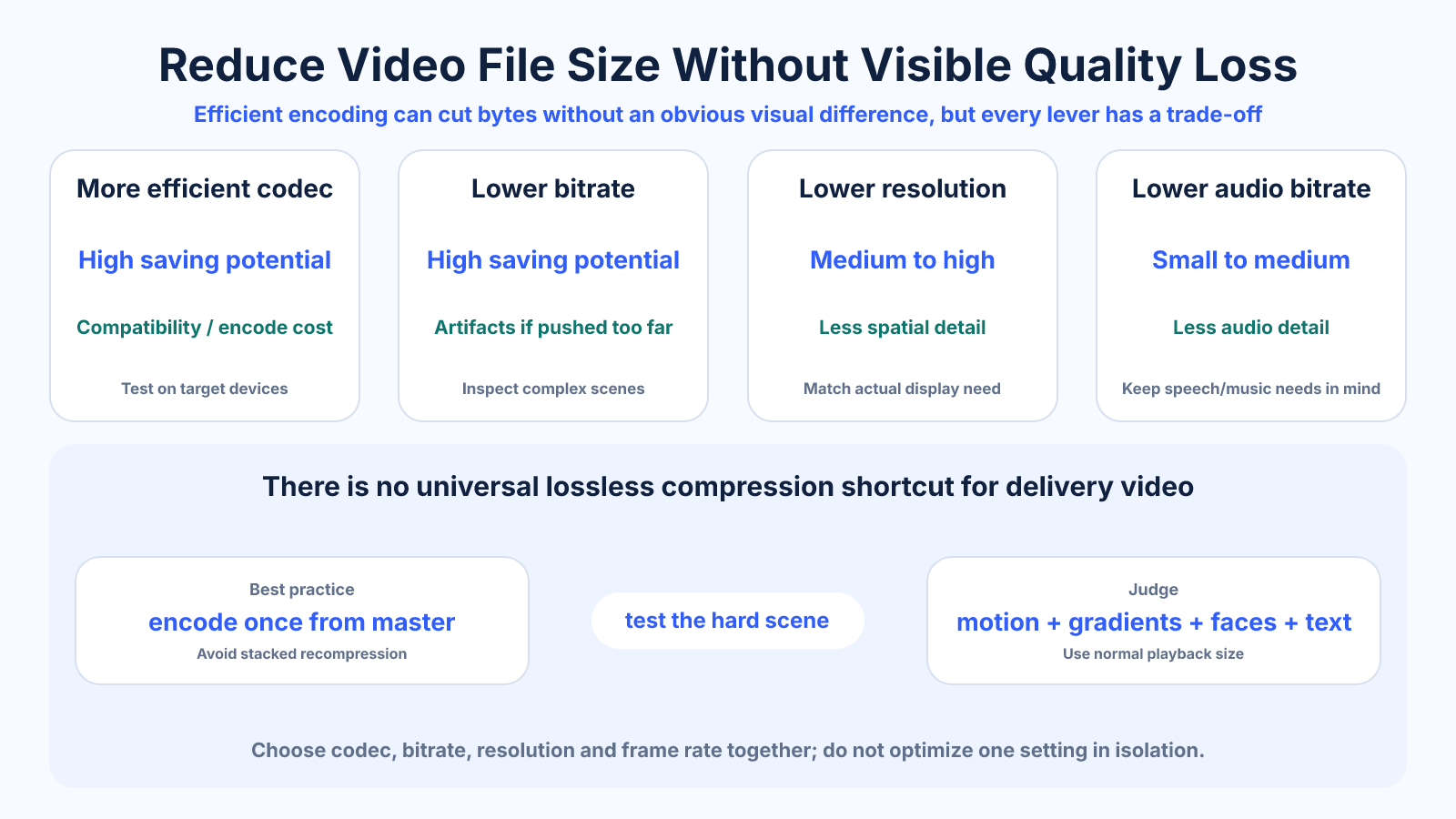
The short version
There is no mathematically lossless way to make most delivery videos dramatically smaller, but efficient encoding can reduce bytes without an obvious visual difference. Start with a clean source and test codec, bitrate and resolution together.
Use this guide when
Use this codec-neutral guide to compare the main compression choices across different video formats and delivery targets.
Choose a different guide when:
- To work specifically with an MP4 container, read How to Reduce MP4 File Size Without Making It Look Bad.
- To meet a strict upload ceiling, read How to Prepare a Video for an Upload File-Size Limit.
What matters most
- Codec efficiency can save space at comparable perceived quality.
- Lowering bitrate too far damages motion and texture first.
- Removing unnecessary resolution or frame rate can be more effective than aggressive compression.
How to apply it
- Keep a high-quality master and encode from it once.
- Match resolution and frame rate to the real delivery need.
- Use a modern supported codec and variable bitrate.
- Test a difficult short segment, then inspect motion, gradients, faces and text.
Reference table
| Adjustment | Potential saving | Quality risk |
|---|---|---|
| More efficient codec | High | Compatibility or slower encoding |
| Lower bitrate | High | Blocking and lost texture |
| Lower resolution | Medium to high | Less spatial detail |
| Lower frame rate | Content-dependent | Less smooth motion |
| Lower audio bitrate | Small to medium | Reduced audio detail |
Use exact dimensions and units in production notes; familiar labels can describe more than one standard.
Can video size shrink with no quality loss?
A smaller file can sometimes preserve every decoded pixel by using lossless compression or removing unnecessary tracks and metadata, but large reductions usually require lossy encoding. The practical goal is visually transparent compression: a smaller file whose changes are not distracting in the intended viewing context.
Do not promise mathematically lossless output from an ordinary online compressor. If exact preservation matters for archival or scientific work, use a lossless workflow and expect larger files. For normal delivery, define acceptable quality at the target screen and bitrate.
Remove avoidable data before reducing quality
Trim unused beginnings and endings, remove duplicate or unnecessary audio tracks, and avoid exporting an alpha channel when transparency is not needed. Match frame rate to the source unless deliberate conversion is required. These choices can reduce size without lowering the quality of the content you keep.
Do not upscale resolution during compression. A 1080p source exported as 4K creates more pixels but not more authentic detail and may require a higher bitrate. Preserve the original frame shape and avoid adding encoded black bars when the player can handle aspect ratio correctly.
Choose codec and quality settings
Modern codecs can deliver similar visual quality more efficiently than older ones, but support varies by device, browser and editing application. Select the codec from the delivery requirements first, then use a quality-based mode or suitable target bitrate.
Slower encoder presets often improve compression efficiency without changing dimensions, though they take more time. Avoid repeated transcodes: each lossy generation can accumulate artifacts. Encode once from the highest-quality master whenever possible.
When to reduce resolution, frame rate or audio bitrate
Lower resolution when the video will be viewed small, the source lacks detail or bandwidth is the primary limit. Lower frame rate only when motion requirements allow it; poor conversion can create judder. Reduce audio bitrate carefully because speech and music tolerate different settings.
Test one change at a time so you know which tradeoff caused a visible or audible problem. A modest reduction across several wasteful settings is often better than one extreme reduction that damages the image.
Run a representative compression test
Export a short segment containing fast motion, fine texture, gradients, faces, captions and dark areas. View it at the real playback size and inspect for blocking, banding, ringing, smearing and text damage. Compare motion, not only paused frames.
Calculate expected size from achieved average bitrate and duration, then confirm with a full export. Keep the master and write down codec, preset, quality value, resolution, frame rate and audio settings so the result can be reproduced.
Common mistakes to avoid
- Recompressing an already damaged copy.
- Judging only a static frame instead of motion.
- Removing metadata and expecting a meaningful reduction in a large video.
Continue with the right tool
Use a calculator to check the numbers against your own source and destination instead of relying on a generic preset.
Related guides
How to Calculate Video File Size from Bitrate and Duration
Estimate video storage from total bitrate and running time, with worked examples and the difference between decimal MB and binary MiB.
Video quality and deliveryVideo Resolution Chart: SD, HD, Full HD, 2K, 4K and 8K
Compare common video resolutions, pixel counts, aspect ratios and practical uses without confusing consumer UHD and cinema formats.
Video compression and file sizeHow to Reduce MP4 File Size Without Making It Look Bad
Reduce an MP4 file intelligently by trimming, choosing an efficient codec, controlling bitrate and testing the scenes most likely to break.
Frequently asked questions
Can compression be truly lossless?
Lossless video exists but usually produces files far larger than normal delivery codecs.
Should I reduce resolution or bitrate first?
Match resolution to the destination, then allocate enough bitrate for that frame and content.
Why does fast motion look worse?
Complex motion changes more pixels between frames and generally needs more bitrate.
Sources and further reading
These references support the technical definitions and platform-specific guidance used above.
- YouTube upload encoding settingsA current example of platform-specific codec, frame-rate and bitrate guidance.