
The short version
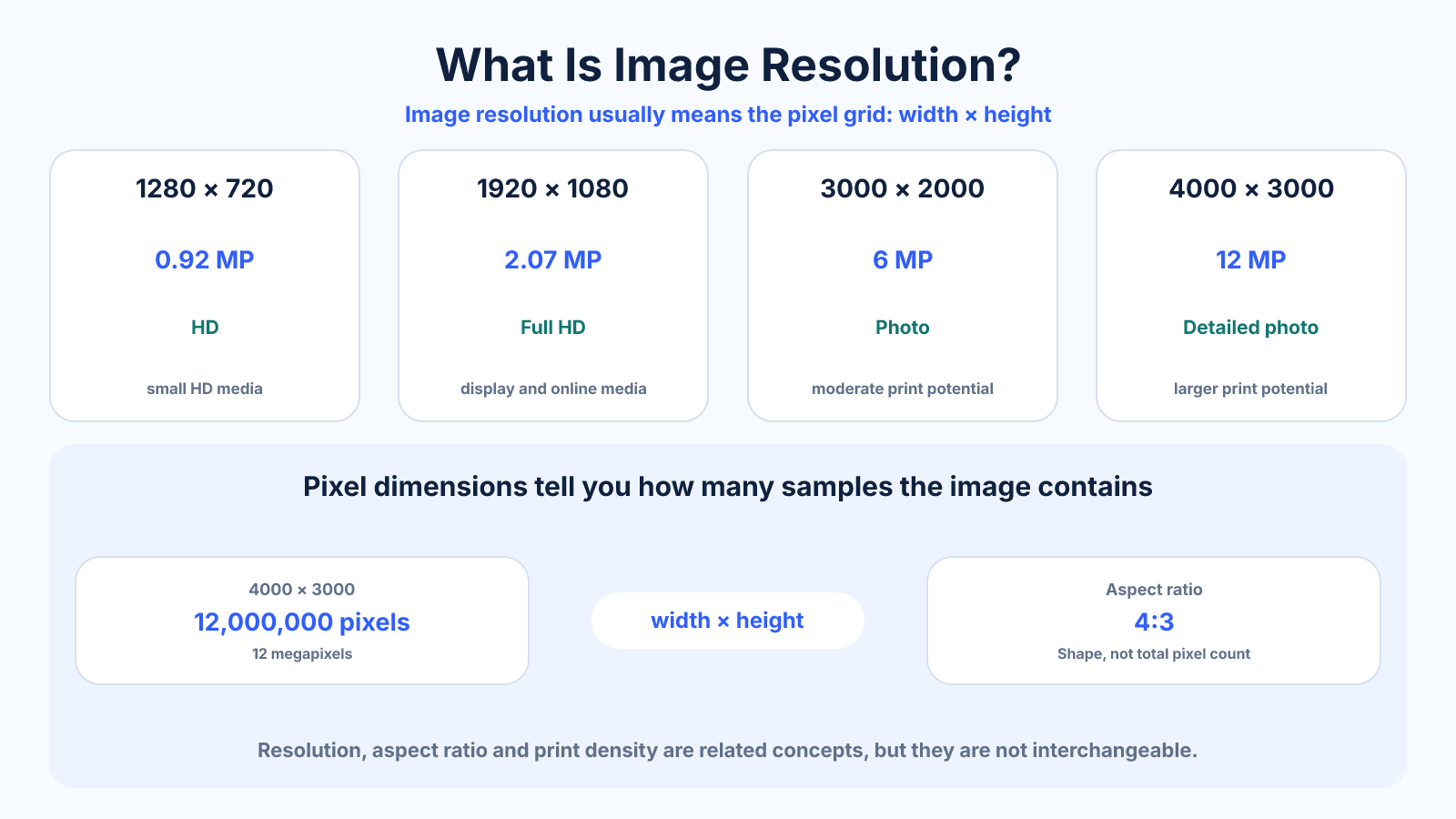
Image resolution usually means pixel dimensions: the number of pixels across and down an image. A 4000 × 3000 image contains 12 million pixels, or 12 megapixels.
What matters most
- Pixel dimensions describe available samples, not guaranteed sharpness.
- Megapixels equal width × height divided by one million.
- Print size also depends on pixels per inch; screen display depends on CSS sizing and device density.
How to apply it
- Read the file's width and height in pixels.
- Multiply them to find total pixels.
- Divide by one million for megapixels.
- Compare the dimensions with the intended display or print requirement.
Reference table
| Dimensions | Megapixels | Example use |
|---|---|---|
| 1280 × 720 | 0.92 MP | Small HD media |
| 1920 × 1080 | 2.07 MP | Full HD display |
| 3000 × 2000 | 6 MP | Photo and moderate print |
| 4000 × 3000 | 12 MP | Detailed photo and larger print |
Use exact dimensions and units in production notes; familiar labels can describe more than one standard.
The four measurements people call image resolution
Pixel dimensions are the clearest description of a digital image: width by height, such as 4000 x 3000 pixels. Multiplying those dimensions gives total pixels, so this example contains 12 million pixels, or 12 megapixels. Aspect ratio describes how those pixels are arranged, not how many exist.
PPI becomes meaningful when pixels are mapped to physical inches for a print or display. File size in kilobytes or megabytes measures stored data after format and compression, so it cannot reliably reveal resolution. Two 4000 x 3000 images can have very different file sizes and visible quality.
Why more pixels do not guarantee more detail
Resolution sets an upper limit on spatial detail, but the source must actually resolve it. Focus, lens quality, motion blur, noise reduction, sharpening and compression can make a high-resolution file look softer than a smaller but cleaner image. Enlarging dimensions does not reconstruct authentic detail that was never captured.
Judge quality at the final display or print size. At extreme zoom, every raster image eventually reveals pixels. The useful test is whether edges, textures and text remain appropriate at the intended size and viewing distance, not whether the file looks perfect at 800 percent.
Resolution for screens versus printing
For screen use, compare the image's actual pixel dimensions with the largest size at which it will be rendered. A 1200-pixel-wide image can fill a 1200-CSS-pixel area at standard density, but a high-density display may benefit from a larger source. Responsive delivery prevents every visitor from downloading the largest file.
For printing, divide pixels by intended inches to find effective PPI. A 3000-pixel edge printed 10 inches wide produces 300 PPI; at 15 inches it produces 200 PPI. Choose a realistic density from viewing distance and the print provider's guidance before deciding whether to resize.
What happens when you increase or reduce resolution
Downsampling combines source samples into a smaller grid. Done once with a good resampling method, it usually produces a clean result and reduces transfer and storage cost. A small amount of output sharpening may help after reduction, particularly for detailed photographs.
Upsampling creates new pixels by estimating values from neighboring pixels or a learned model. It can smooth jagged edges and make a file easier to print at a requested size, but generated detail should not be treated as original evidence. Preserve the source and inspect faces, text and repeating patterns after any AI enhancement.
Common mistakes to avoid
- Treating DPI metadata as additional pixels.
- Assuming two images with equal dimensions have equal sharpness.
- Upscaling and expecting new authentic detail.
Continue with the right tool
Use a calculator to check the numbers against your own source and destination instead of relying on a generic preset.
Related guides
How to Find an Image's Resolution and Aspect Ratio
Check image width, height, megapixels and aspect ratio, then interpret whether the file is large enough for screen or print use.
Images and photosStandard Photo Sizes: Print Dimensions, Ratios and Pixels
Compare common photo print sizes, their aspect ratios and pixel dimensions at 300 PPI before cropping or ordering prints.
Images and photos4×6 Photo Dimensions: Inches, Centimeters, Ratio and Pixels
Find the exact dimensions and 3:2 aspect ratio of a 4×6 photo, including pixels for 150, 240 and 300 PPI printing.
Frequently asked questions
Is resolution the same as megapixels?
Megapixels summarize total pixel count, while dimensions show how those pixels are arranged.
Does a larger file always have higher resolution?
No. File format, compression and image complexity strongly affect bytes.
Can resolution be too high?
Yes for a workflow: unnecessary pixels increase storage, transfer and processing without visible benefit.
Sources and further reading
These references support the technical definitions and platform-specific guidance used above.
- Adobe: image size and resolutionReference for pixel dimensions, print size, resolution and resampling.