
The short version
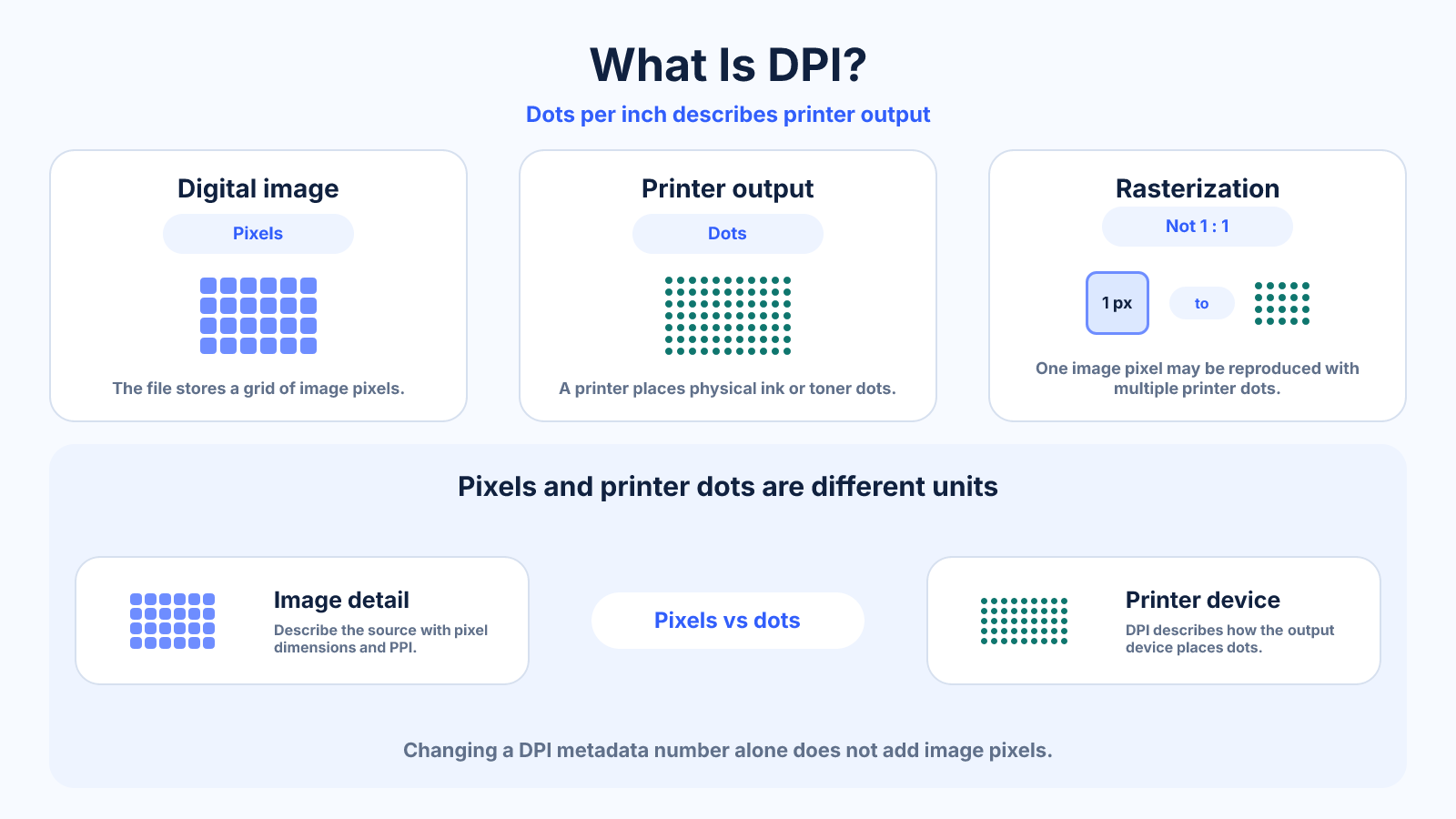
DPI means dots per inch and describes how densely a printer or output device places physical dots. It is not the same as the number of pixels stored in an image.
Use this guide when
Use this guide for printer dots, screening and why a printer's DPI setting is not an image pixel count.
Choose a different guide when:
- To calculate pixels per inch in an image or print, read Pixels per Inch (PPI) Explained for Images, Prints and Screens.
- To compare both terms side by side, read DPI vs PPI: The Difference for Images, Screens and Printing.
What matters most
- Printer dots and image pixels are different units.
- Device DPI specifications cannot be converted directly into required image pixels.
- The print service's recommended pixel dimensions or PPI are more actionable for file preparation.
How to apply it
- Choose the print size and inspect source pixels.
- Calculate available PPI from pixels and inches.
- Use the provider's recommended export profile.
- Allow the printer's rasterizer to translate pixels into its own dot pattern.
Reference table
| Question | Relevant value | Why |
|---|---|---|
| How many image samples exist? | Pixel dimensions | Counts digital data |
| How large can it print? | Pixels and target PPI | Maps grid to inches |
| How does the printer mark paper? | DPI | Describes physical dot placement |
| How large is the file? | Bytes and compression | Independent of DPI alone |
Use exact dimensions and units in production notes; familiar labels can describe more than one standard.
What DPI actually measures
DPI is an output-device measurement: dots per inch. A printer can place multiple ink or toner dots to reproduce one image pixel, using different dot patterns to simulate tones and colors. For that reason, a printer advertised at 1200 DPI does not require a 1200-PPI photo file.
In everyday software, the word DPI is often used loosely where PPI would be more precise. When someone asks for a ‘300 DPI image,’ they usually want enough pixels to produce 300 image pixels per printed inch. Confirm the intended physical size because the number alone does not define the required pixel dimensions.
Why changing 72 DPI to 300 DPI may change nothing
An image can store a density tag that suggests a default print size. If you change that tag without resampling, the pixel grid stays exactly the same. A 3000 x 2400-pixel image remains 3000 x 2400 pixels; only the implied size changes from about 41.7 x 33.3 inches at 72 PPI to 10 x 8 inches at 300 PPI.
For websites and social media, browsers primarily use pixel dimensions, CSS layout and device scaling. Rewriting a DPI tag does not add detail or reliably change how large the image appears online. Optimize the actual pixel dimensions and file compression for screen delivery.
A correct DPI and PPI print workflow
Choose the finished print size, calculate the effective PPI from the source pixels, then compare it with the lab's recommendation. For an 8 x 10-inch print from a 2400 x 3000 image, both axes provide 300 PPI. The printer's own DPI is handled by its driver, raster image processor and print process.
If the effective PPI is below the target, first verify that the viewing distance truly demands more. Reducing the physical size preserves density. Resampling can create more pixels for smoother output, but it cannot recover authentic detail that was never captured.
Printer DPI is not mouse DPI
Gaming mice also use the abbreviation DPI, but there it describes cursor movement sensitivity relative to physical motion. That is a different task from image and print resolution. Scanner specifications may use DPI to describe sampling positions, adding another context where the same abbreviation behaves differently.
This guide uses DPI only for printing and output devices. For a digital image, record width and height in pixels; for a print, calculate effective PPI; and for a monitor, use panel pixel density. Keeping the unit tied to the device prevents most resolution mistakes.
Common mistakes to avoid
- Typing 300 into a DPI field and expecting a sharper file.
- Comparing printer DPI directly with screen PPI.
- Discarding a usable image because its metadata says 72 DPI.
Continue with the right tool
Use a calculator to check the numbers against your own source and destination instead of relying on a generic preset.
Related guides
DPI vs PPI: The Difference for Images, Screens and Printing
Understand DPI versus PPI, which value belongs in image calculations and why changing metadata alone does not add detail.
Print and densityImage Resolution for Print: How Many Pixels Do You Need?
Calculate print resolution from inches and PPI, choose a realistic density and avoid unnecessary upscaling.
Print and densityPixels per Inch (PPI) Explained for Images, Prints and Screens
Learn what pixels per inch means, calculate PPI for images, prints and screens, and understand how PPI differs from printer DPI.
Frequently asked questions
What does 300 DPI mean?
In strict usage it means 300 printer dots per inch; many image workflows use the label when they actually mean 300 PPI.
Does DPI affect online images?
Normally no. Browsers size images using pixels, CSS and device density.
Can I change DPI?
Yes, but without resampling it changes only the implied physical print size, not pixel detail.
Sources and further reading
These references support the technical definitions and platform-specific guidance used above.
- Adobe: image size and resolutionExplains pixel dimensions, print dimensions and resolution without treating metadata as new detail.