
The short version
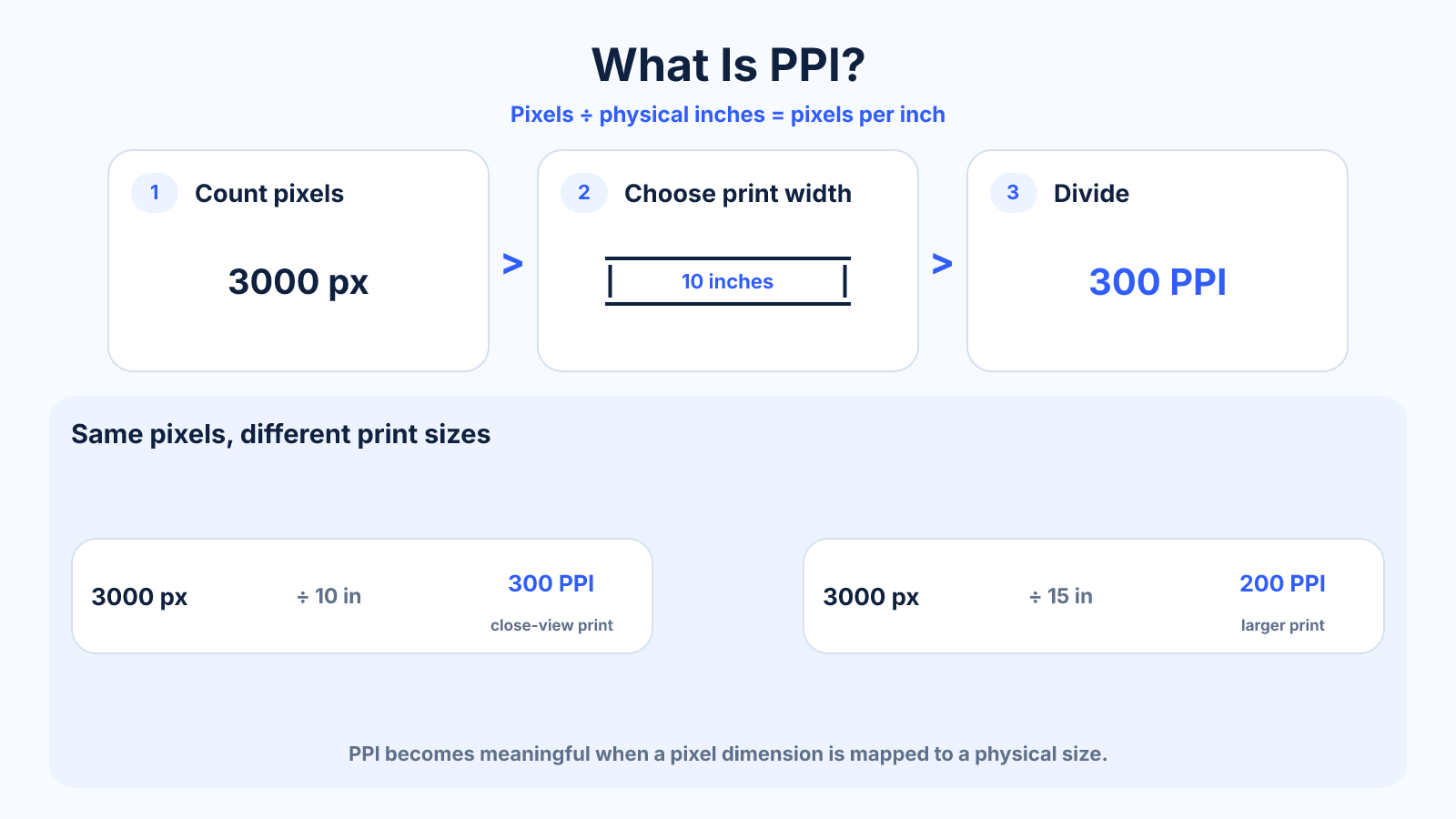
PPI means pixels per inch. For printing, divide an image dimension in pixels by the printed length in inches; 3000 pixels printed 10 inches wide produces 300 PPI.
Use this guide when
Use this guide for the relationship between raster pixels and physical inches in images, prints and screens.
Choose a different guide when:
- To understand the printer-dot specification, read What Is DPI? Printer Resolution Without the Common Myths.
- To calculate pixels for a particular print, read Image Resolution for Print: How Many Pixels Do You Need?.
What matters most
- PPI only becomes meaningful when pixels are mapped to physical inches.
- The same image has different effective PPI at different print sizes.
- Screen device PPI describes panel density, not the file's permanent property.
How to apply it
- Select one image dimension in pixels.
- Measure the corresponding output dimension in inches.
- Divide pixels by inches.
- Repeat for the other axis and investigate any mismatch caused by cropping or scaling.
Reference table
| Image width | Print width | Effective density |
|---|---|---|
| 3000 px | 10 in | 300 PPI |
| 3000 px | 12 in | 250 PPI |
| 3000 px | 15 in | 200 PPI |
| 3000 px | 20 in | 150 PPI |
Use exact dimensions and units in production notes; familiar labels can describe more than one standard.
PPI formulas for prints and screens
For a print, effective PPI equals the number of image pixels along an edge divided by that edge's printed length in inches. A 3600-pixel-wide file printed 12 inches wide produces 300 PPI. Print the same file 18 inches wide and the effective density becomes 200 PPI.
For a display, pixel density uses the diagonal pixel count divided by diagonal size in inches. Calculate the diagonal pixels with the Pythagorean theorem: square the horizontal and vertical resolutions, add them, then take the square root. A display's physical PPI stays tied to its panel size and native resolution.
What is a good PPI for printing?
Around 300 PPI is a common target for close-viewed photographic prints. It is guidance, not a universal quality boundary. Many images look excellent near 240 PPI, while a large wall print viewed from several feet away may need less. Printer technology, source sharpness, paper and viewing distance all influence the result.
Use the print provider's recommendation when available. If no specification exists, calculate several options before resampling: the current effective PPI, the print size at 300 PPI, and the print size at 240 PPI. This shows whether a modest size change solves the problem without inventing pixels.
PPI vs DPI
PPI counts image pixels or display pixels per physical inch. DPI counts physical printer dots per inch. They interact during printing, but they are not a one-to-one conversion. A printer may use several dots and ink colors to reproduce one image pixel.
When preparing a file, pixel dimensions and intended print inches are the useful inputs. When evaluating the printer, DPI is a device specification. If a print shop asks for 300 DPI artwork, interpret it as a file-preparation request only after confirming the required dimensions and whether they mean 300 PPI.
Does PPI matter for web images?
A web image does not become sharper merely because its metadata changes from 72 to 300 PPI. Browsers render from actual pixels, CSS size and device pixel ratio. A 1200 x 800 file contains the same pixels regardless of the density tag stored with it.
For crisp web delivery, choose enough source pixels for the largest rendered size and high-density screens, then compress responsibly. Avoid sending a huge print-resolution file into a small card: it increases download cost without adding visible detail after the browser scales it down.
Common mistakes to avoid
- Treating PPI metadata as fixed image quality.
- Using diagonal screen PPI for print calculations.
- Forgetting that crop removes pixels before printing.
Continue with the right tool
Use a calculator to check the numbers against your own source and destination instead of relying on a generic preset.
Related guides
DPI vs PPI: The Difference for Images, Screens and Printing
Understand DPI versus PPI, which value belongs in image calculations and why changing metadata alone does not add detail.
Print and densityImage Resolution for Print: How Many Pixels Do You Need?
Calculate print resolution from inches and PPI, choose a realistic density and avoid unnecessary upscaling.
Print and densityWhat Is DPI? Printer Resolution Without the Common Myths
Learn what dots per inch means for printers, how it differs from image pixels and why a DPI metadata value alone does not change quality.
Frequently asked questions
Is higher PPI always better?
Only until additional density is no longer visible or useful for the print process and viewing distance.
What PPI should I use?
300 is a common close-view target; 240 can be excellent, and large distant prints may need less.
Is PPI the same as resolution?
It is one type of spatial density. Pixel dimensions describe the digital resolution more directly.
Sources and further reading
These references support the technical definitions and platform-specific guidance used above.
- MDN: devicePixelRatioReference for the relationship between CSS pixels and display pixels.
- Adobe: image size and resolutionReference for pixels per inch in print workflows.